A walk-through of SeaORM 2.0

Over the past few months, we've rolled out a series of SeaORM 2.0 releases packed with new capabilities that reshape how you'd use SeaORM. There may be a lot of details, that's why in this post we'll take a guided walk‑through of the best features with a small example blogging platform.
The full example can be found here.
New Entity Format
SeaORM 1.0's entity format is explicit, but on the more verbose end, making it difficult to write by hand. SeaORM 2.0 introduced a new Entity Format that's denser and can be generated by sea-orm-cli generate entity --entity-format dense.
The following User Entity has two related Entities.
user 1-1 profile
user 1-N post
use sea_orm::entity::prelude::*;

#[sea_orm::model]
#[derive(Clone, Debug, PartialEq, Eq, DeriveEntityModel)]
#[sea_orm(table_name = "user")]
pub struct Model {
    #[sea_orm(primary_key)]
    pub id: i32,
    pub name: String,
    #[sea_orm(unique)]
    pub email: String,
    #[sea_orm(has_one)]
    pub profile: HasOne<super::profile::Entity>,
    #[sea_orm(has_many)]
    pub posts: HasMany<super::post::Entity>,
}

impl ActiveModelBehavior for ActiveModel {}
Entity First Workflow
SeaORM used to adopt a schema‑first approach: meaning you design database tables and write migration scripts first, then generate entities from that schema.
Entity‑first flips the flow: you hand-write the entity files, and let SeaORM generates the tables and foreign keys for you.
Simply call the sync function after initializing the database connection, and SeaORM will create the missing tables, columns, and foreign keys for you.
// The order of entity definitions does not matter.
// SeaORM resolves foreign key dependencies automatically
// and creates the tables in the correct order with their keys.
db.get_schema_registry("sea_orm_quickstart::*")
    .sync(db)
    .await?;
ActiveModel Builder and Entity Loader
Let's get started with the blogging platform example!
1. Create User with Profile
We can use ActiveModel builder to create a nested object (user + profile) in a single operation.
Entity:
#[sea_orm::model]
#[derive(Clone, Debug, PartialEq, Eq, DeriveEntityModel)]
#[sea_orm(table_name = "profile")]
pub struct Model {
    #[sea_orm(primary_key)]
    pub id: i32,
    pub picture: String,
    #[sea_orm(unique)]
    pub user_id: i32, // ⬅ belongs to
    #[sea_orm(belongs_to, from = "user_id", to = "id")]
    pub user: HasOne<super::user::Entity>,
}
Operation:
info!("Create user Bob with a profile:");
let bob = user::ActiveModel::builder()
    .set_name("Bob")
    .set_email("bob@sea-ql.org")
    .set_profile(
        // here is a nested object: profile's user_id will be
        // automatically set to bob's id after it has been created
        profile::ActiveModel::builder().set_picture("Tennis.jpg")
    )
    .insert(db)
    .await?;
Execution:
INSERT INTO "user" ("name", "email") VALUES ('Bob', 'bob@sea-ql.org') RETURNING "id", "name", "email"
INSERT INTO "profile" ("picture", "user_id") VALUES ('Tennis', 1) RETURNING "id", "picture", "user_id"
2. Query User with Profile
Now, we'd like to query the user we've just created along with the profile in a single SQL query:
info!("Query user with profile in a single query:");
let bob = user::Entity::load()
    .filter_by_email("bob@sea-ql.org") // ⬅ email is a unique key
    .with(profile::Entity)
    .one(db)
    .await?
    .expect("Not found");
assert_eq!(bob.name, "Bob");
assert_eq!(bob.profile.as_ref().unwrap().picture, "Tennis.jpg");
Execution:
SELECT "user"."id" AS "A_id", "user"."name" AS "A_name", "user"."email" AS "A_email", "profile"."id" AS "B_id", "profile"."picture" AS "B_picture", "profile"."user_id" AS "B_user_id"
FROM "user" LEFT JOIN "profile" ON "user"."id" = "profile"."user_id" WHERE "user"."id" = 1 LIMIT 1
3. Update Bob's profile
We can update and save a nested object in place:
let mut bob = bob.into_active_model(); // convert Model to ActiveModel
bob.profile.as_mut().unwrap().picture = Set("Hiking.jpg");
bob.save(db)?;
(or in a more fluent way)
bob.profile.take().unwrap().into_active_model()
    .set_picture("Hiking.jpg").save(db).await?;
Execution:
UPDATE "profile" SET "picture" = 'Hiking.jpg' WHERE "profile"."id" = 1 RETURNING "id", "picture", "user_id"
4. Add some blog posts
Again, let's use the new ActiveModel builder API to create some blog posts:
Entity:
use sea_orm::entity::prelude::*;

#[sea_orm::model]
#[derive(Clone, Debug, PartialEq, Eq, DeriveEntityModel)]
#[sea_orm(table_name = "post")]
pub struct Model {
    #[sea_orm(primary_key)]
    pub id: i32,
    pub user_id: i32,
    pub title: String,
    #[sea_orm(belongs_to, from = "user_id", to = "id")]
    pub author: HasOne<super::user::Entity>,
    #[sea_orm(has_many)]
    pub comments: HasMany<super::comment::Entity>,
}

impl ActiveModelBehavior for ActiveModel {}
Operation:
info!("Bob wrote some posts:");
bob.posts
    // user_id will be set to bob.id
    .push(post::ActiveModel::builder()
        .set_title("Lorem ipsum dolor sit amet, consectetur adipiscing elit"))
    .push(post::ActiveModel::builder()
        .set_title("Ut enim ad minim veniam, quis nostrud exercitation"));
bob.save(db).await?;
Execution:
INSERT INTO "post" ("user_id", "title") VALUES (1, 'Lorem ipsum dolor sit amet ..') RETURNING "id", "user_id", "title"
INSERT INTO "post" ("user_id", "title") VALUES (1, 'Ut enim ad minim veniam ..') RETURNING "id", "user_id", "title"
5. Add comments to blog post
Not only can we insert new posts via the Bob ActiveModel, we can also add new comments to the posts. SeaORM walks the document tree and figures out what's changed, and perform the operation in one transaction.
info!("Alice commented on Bob's post:");
bob.posts[0].comments.push(
    comment::ActiveModel::builder()
        .set_comment("nice post!")
        .set_user(alice),
);
bob.save(db).await?;
Execution:
INSERT INTO "comment" ("comment", "user_id", "post_id") VALUES ('nice post!', 2, 1) RETURNING "id", "comment", "user_id", "post_id"
6. Using Entity Loader
We can query user + profile + post together:
info!("Find Bob's profile and his posts:");
let bob = user::Entity::load()
    .filter(user::COLUMN.name.eq("Bob"))
    .with(profile::Entity)
    .with(post::Entity)
    .one(db)
    .await?
    .unwrap();

bob == user::ModelEx {
    id: 1,
    name: "Bob".into(),
    email: "bob@sea-ql.org".into(),
    profile: HasOne::Loaded(profile::ModelEx {
        picture: "Hiking.jpg",
        ..
    }),
    posts: HasMany::Loaded(vec![post::ModelEx {
        title: "..",
        ..
    }, ..]),
}
Execution:
-- 1-1 uses join
SELECT "user"."id", "profile"."id", ..
FROM "user" LEFT JOIN "profile" ON "user"."id" = "profile"."user_id"
WHERE "user"."name" = 'Bob' LIMIT 1
-- 1-N uses loader
SELECT "post"."id", "post"."user_id", "post"."title"
FROM "post" WHERE "post"."user_id" IN (1) ORDER BY "post"."id" ASC
7. Cascade delete
Let's say we want to delete a blog post. There are still comments belonging to the posts, so they will prevent the post from being deleted (unless ON DELETE CASCADE is set).
info!("Delete the post along with all comments");
post.delete(db).await?;
Execution:
DELETE FROM "comment" WHERE "comment"."id" = 1
DELETE FROM "post" WHERE "post"."id" = 1
8. M-N relation: post <-> tag
In addition to 1-1 and 1-N relations as shown above, SeaORM also models M-N relation as a first class construct. Let's say post M-N tag:
Entities:
#[sea_orm::model]
#[derive(Clone, Debug, PartialEq, Eq, DeriveEntityModel)]
#[sea_orm(table_name = "post")]
pub struct Model {
    #[sea_orm(primary_key)]
    pub id: i32,
    pub title: String,
    #[sea_orm(has_many, via = "post_tag")] // ⬅ specify junction table
    pub tags: HasMany<super::tag::Entity>,
    ..
}
#[sea_orm::model]
#[derive(Clone, Debug, PartialEq, DeriveEntityModel, Eq)]
#[sea_orm(table_name = "post_tag")]
pub struct Model {
    #[sea_orm(primary_key, auto_increment = false)] // ⬅ composite key
    pub post_id: i32,
    #[sea_orm(primary_key, auto_increment = false)] // ⬅ composite key
    pub tag_id: i32,
    #[sea_orm(belongs_to, from = "post_id", to = "id")] // ⬅ belongs to both
    pub post: Option<super::post::Entity>,
    #[sea_orm(belongs_to, from = "tag_id", to = "id")] // ⬅ belongs to both
    pub tag: Option<super::tag::Entity>,
}
#[sea_orm::model]
#[derive(Clone, Debug, PartialEq, Eq, DeriveEntityModel)]
#[sea_orm(table_name = "tag")]
pub struct Model {
    #[sea_orm(primary_key)]
    pub id: i32,
    #[sea_orm(unique)]
    pub tag: String,
}
Now we can easily attach tags to a post:
info!("Insert one tag for later use");
let sunny = tag::ActiveModel::builder().set_tag("sunny").save(db).await?;

info!("Insert a new post with 2 tags");
let post = post::ActiveModel::builder()
    .set_title("A sunny day")
    .set_user(bob)
    .add_tag(sunny) // ⬅ an existing tag
    .add_tag(tag::ActiveModel::builder().set_tag("outdoor")) // ⬅ a new tag
    .save(db) // new tag will be created and associcated to the new post
    .await?;
Execution:
INSERT INTO "post" ("user_id", "title") VALUES (2, 'A sunny day') RETURNING "id", "user_id", "title"
INSERT INTO "tag" ("tag") VALUES ('outdoor') RETURNING "id", "tag"
INSERT INTO "post_tag" ("post_id", "tag_id") VALUES (3, 1), (3, 2) ON CONFLICT ("post_id", "tag_id") DO NOTHING RETURNING "post_id", "tag_id"
9. Users follow other Users
Now it starts to look like a social media network!
Entity:
#[sea_orm::model]
#[derive(Clone, Debug, PartialEq, Eq, DeriveEntityModel)]
#[sea_orm(table_name = "user")]
pub struct Model {
    #[sea_orm(primary_key)]
    pub id: i32,
    pub name: String,
    //        ⬇ new keyword `self_ref`, `from` and `to` are relations
    #[sea_orm(self_ref, via = "user_follower", from = "User", to = "Follower")]
    pub followers: HasMany<Entity>,
    // reverse of above, no need to repeat yourself! ⬇
    #[sea_orm(self_ref, via = "user_follower", reverse)]
    pub following: HasMany<Entity>,
    ..
}
The junction table has same structure as post_tag.
#[sea_orm::model]
#[derive(Clone, Debug, PartialEq, DeriveEntityModel, Eq)]
#[sea_orm(table_name = "user_follower")]
pub struct Model {
    #[sea_orm(primary_key)]
    pub user_id: i32,
    #[sea_orm(primary_key)]
    pub follower_id: i32,
    #[sea_orm(belongs_to, from = "user_id", to = "id")] // ⬅ same as before
    pub user: Option<super::user::Entity>,
    //                    ⬇ because `User` is already taken, has to specify enum name
    #[sea_orm(belongs_to, relation_enum = "Follower", from = "follower_id", to = "id")]
    pub follower: Option<super::user::Entity>,
}
Now we can start connecting them:
info!("Add follower to Alice");
alice.add_follower(bob).save(db).await?;

info!("Sam starts following Alice");
sam.add_following(alice).save(db).await?;
Executes:
INSERT INTO "user_follower" ("user_id", "follower_id") VALUES (1, 2) ON CONFLICT ("user_id", "follower_id") DO NOTHING RETURNING "user_id", "follower_id"
INSERT INTO "user_follower" ("user_id", "follower_id") VALUES (1, 3) ON CONFLICT ("user_id", "follower_id") DO NOTHING RETURNING "user_id", "follower_id"
You can query user with followers with:
let users = user::Entity::load()
    .filter_by_id(alice.id)
    .with(user_follower::Entity)
    .all(db)
    .await?;

assert_eq!(users[0].name, "Alice");
assert_eq!(users[0].followers.len(), 2);
assert_eq!(users[0].followers[0].name, "Bob");
assert_eq!(users[0].followers[1].name, "Sam");
That's it! With these examples in hand, I hope you'll find SeaORM 2.0 both fun and productive to use.
New COLUMN constant
Previously, column names in queries had to be written in CamelCase. This is because the Column type was defined as an enum, as it's faster to compile than generating one struct per column.
Our new design keeps compilation fast while offering stronger type guarantees. As a bonus, it eliminates the need for CamelCase and even saves a keystroke!
// old: an enum variant
user::Entity::find().filter(user::Column::Name.contains("Bob"))

// new: a constant value
user::Entity::find().filter(user::COLUMN.name.contains("Bob"))

// compile error: the trait `From<{integer}>` is not implemented for `String`
user::Entity::find().filter(user::COLUMN.name.like(2))
🧭 Instant GraphQL API
With Seaography, the Entities you wrote can instantly be exposed as a GraphQL schema, with full CRUD, filtering and pagination. No extra macros, no Entity re-generation is needed!
With SeaORM and Seaography, you can prototype quickly and stay in the flow. The Entity:
#[sea_orm::model]
#[derive(Clone, Debug, PartialEq, Eq, DeriveEntityModel)]
#[sea_orm(table_name = "user")]
pub struct Model {
    #[sea_orm(primary_key)]
    pub id: i32,
    pub name: String,
    #[sea_orm(unique)]
    pub email: String,
    #[sea_orm(has_one)]
    pub profile: HasOne<super::profile::Entity>,
    #[sea_orm(has_many)]
    pub posts: HasMany<super::post::Entity>,
}
Instantly turned into a GraphQL type:
type User {
  id: Int!
  name: String!
  email: String!
  profile: Profile
  post(
    filters: PostFilterInput
    orderBy: PostOrderInput
    pagination: PaginationInput
  ): PostConnection!
}
🖥️ SeaORM Pro: Admin Panel
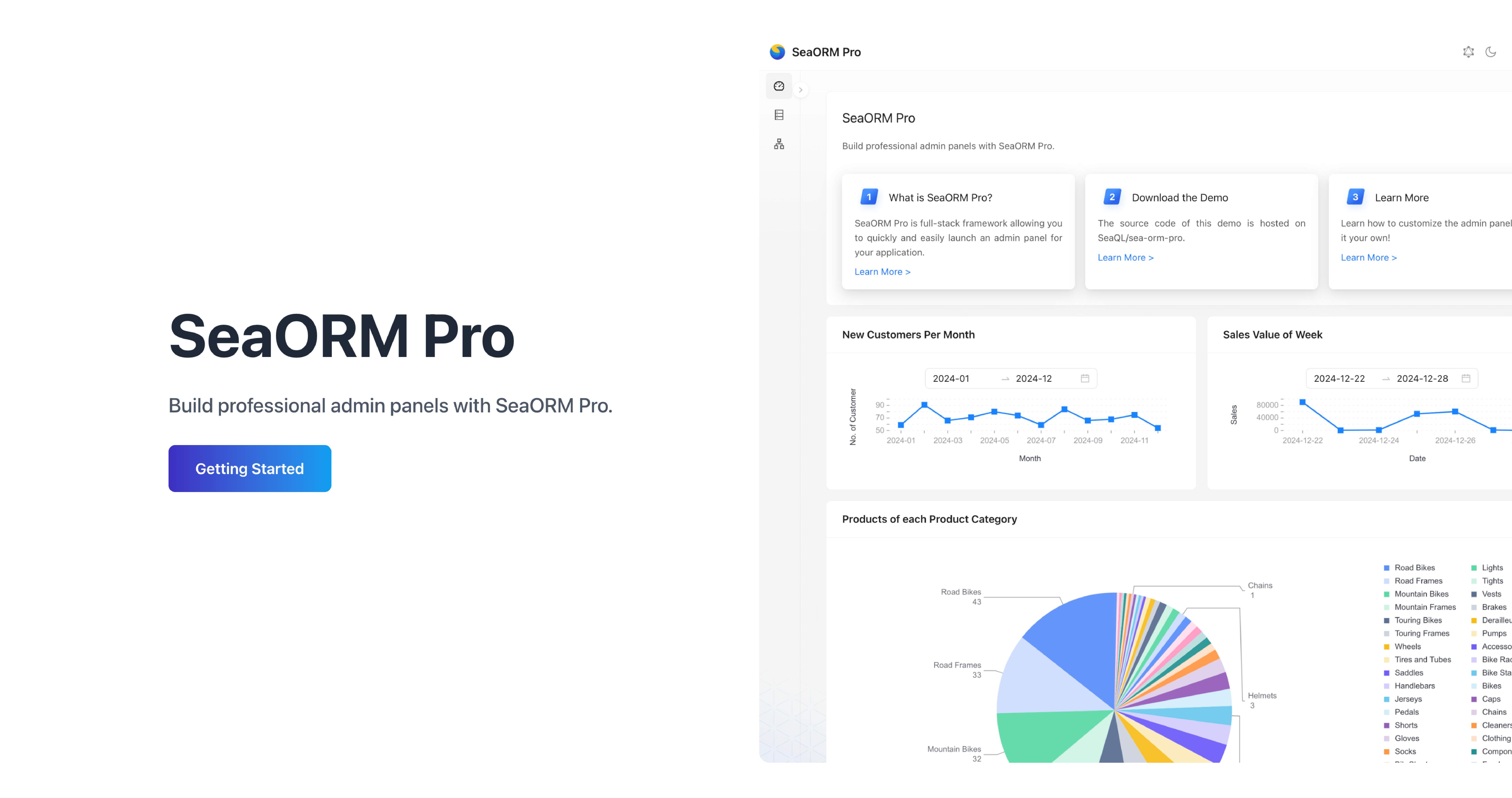
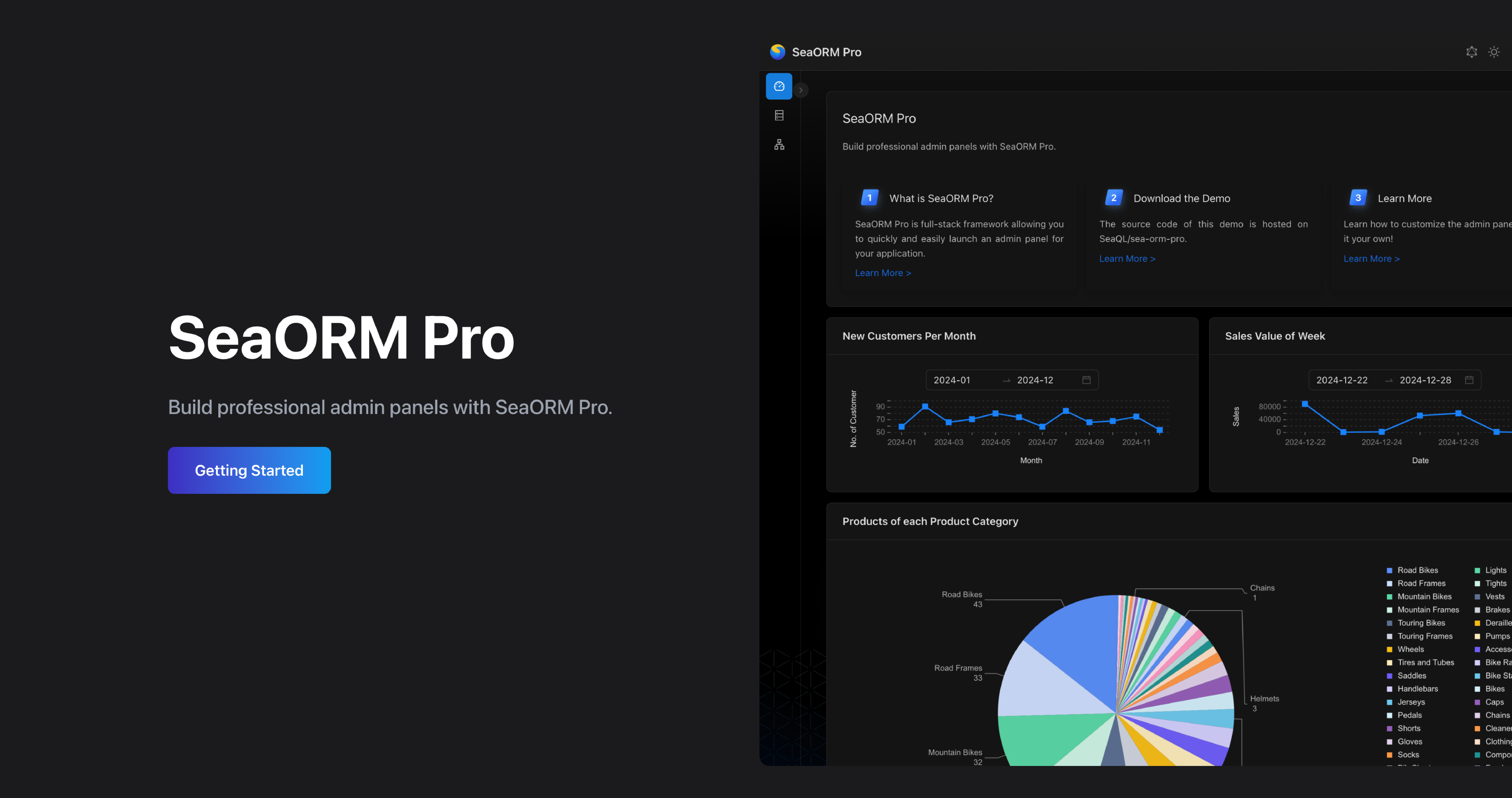
SeaORM Pro is an admin panel solution allowing you to quickly and easily launch an admin panel for your application - frontend development skills not required, but certainly nice to have!
SeaORM Pro has been updated to support the latest features in SeaORM 2.0.
Features:
- Full CRUD
- Built on React + GraphQL
- Built-in GraphQL resolver
- Customize the UI with TOML config
- Role Based Access Control (new in 2.0)
🌟 Sponsors
Gold Sponsor

QDX pioneers quantum dynamics-powered drug discovery, leveraging AI and supercomputing to accelerate molecular modeling. We're grateful to QDX for sponsoring the development of SeaORM, the SQL toolkit that powers their data intensive applications.
GitHub Sponsors
If you feel generous, a small donation will be greatly appreciated, and goes a long way towards sustaining the organization.
A big shout out to our GitHub sponsors:


🦀 Rustacean Sticker Pack
The Rustacean Sticker Pack is the perfect way to express your passion for Rust. Our stickers are made with a premium water-resistant vinyl with a unique matte finish.
Sticker Pack Contents:
- Logo of SeaQL projects: SeaQL, SeaORM, SeaQuery, Seaography
- Mascots: Ferris the Crab x 3, Terres the Hermit Crab
- The Rustacean wordmark
Support SeaQL and get a Sticker Pack!