Notification in SeaORM Pro

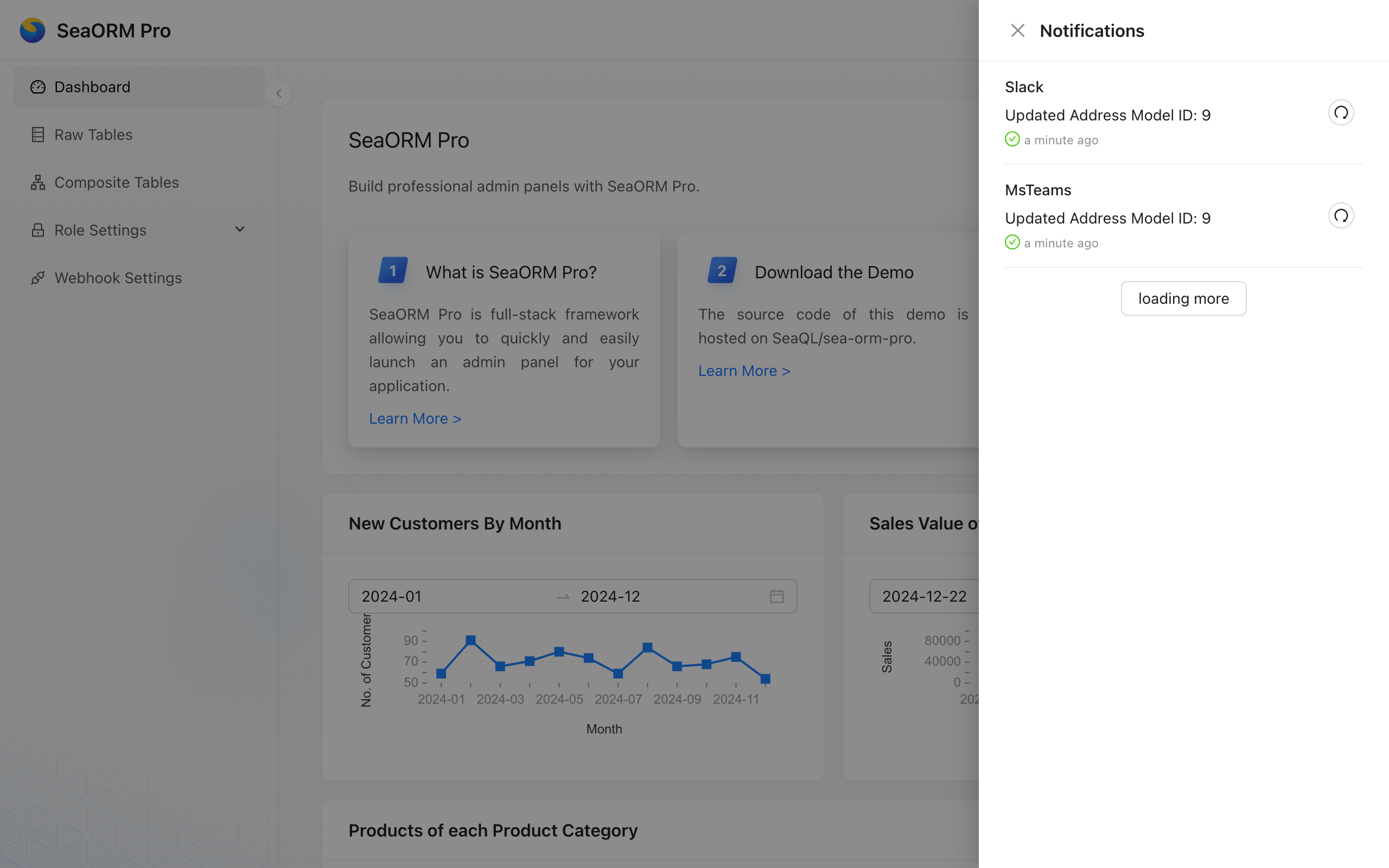
SeaORM Pro now supports sending notifications to Slack and Microsoft Teams via webhooks. Once configured, applications can send notifications based on triggers: for example, when a new order is created or an order item is updated.
The Design
1. Application wide
Notifications are not personalized; any user with select permission on the sea_orm_notification table can view them in the notification panel. Users who have visibility of the designated Slack channel or Teams channel will receive these messages.
Design: application level notification center.
2. Queue based
When an event is triggered in application code (for example, when a table or row is updated), a notification request is enqueued.
Design: the event queue is intended to avoid adding latency to API requests.
3. Application defined
Notifications can be sent to one (unicast) or many webhooks (multicast). The application has full control over when and what to send.
Design: application-defined logic tailored to business needs.
4. Background worker
A background worker picks up pending notifications from the queue and delivers them sequentially.
Design: Notifications are delivered asynchronously by the background worker, avoiding bursts while preserving the order of events.
Configuring Webhooks
Schema
A webhook has the following fields:
#[derive(Clone, Debug, PartialEq, Eq, DeriveEntityModel)]
#[sea_orm(table_name = "sea_orm_webhook")]
pub struct Model {
    #[sea_orm(primary_key)]
    pub id: WebhookId, // uniquely identify the webhook
    pub platform: WebhookPlatform, // can be Slack / MsTeams
    pub url: String, // webhook URL
}
Config Webhook in Admin Panel
Login to the admin dashboard. If you have read & update permission of the sea_orm_webhook table, you should able to see the "Webhook Settings" page appear on the left:
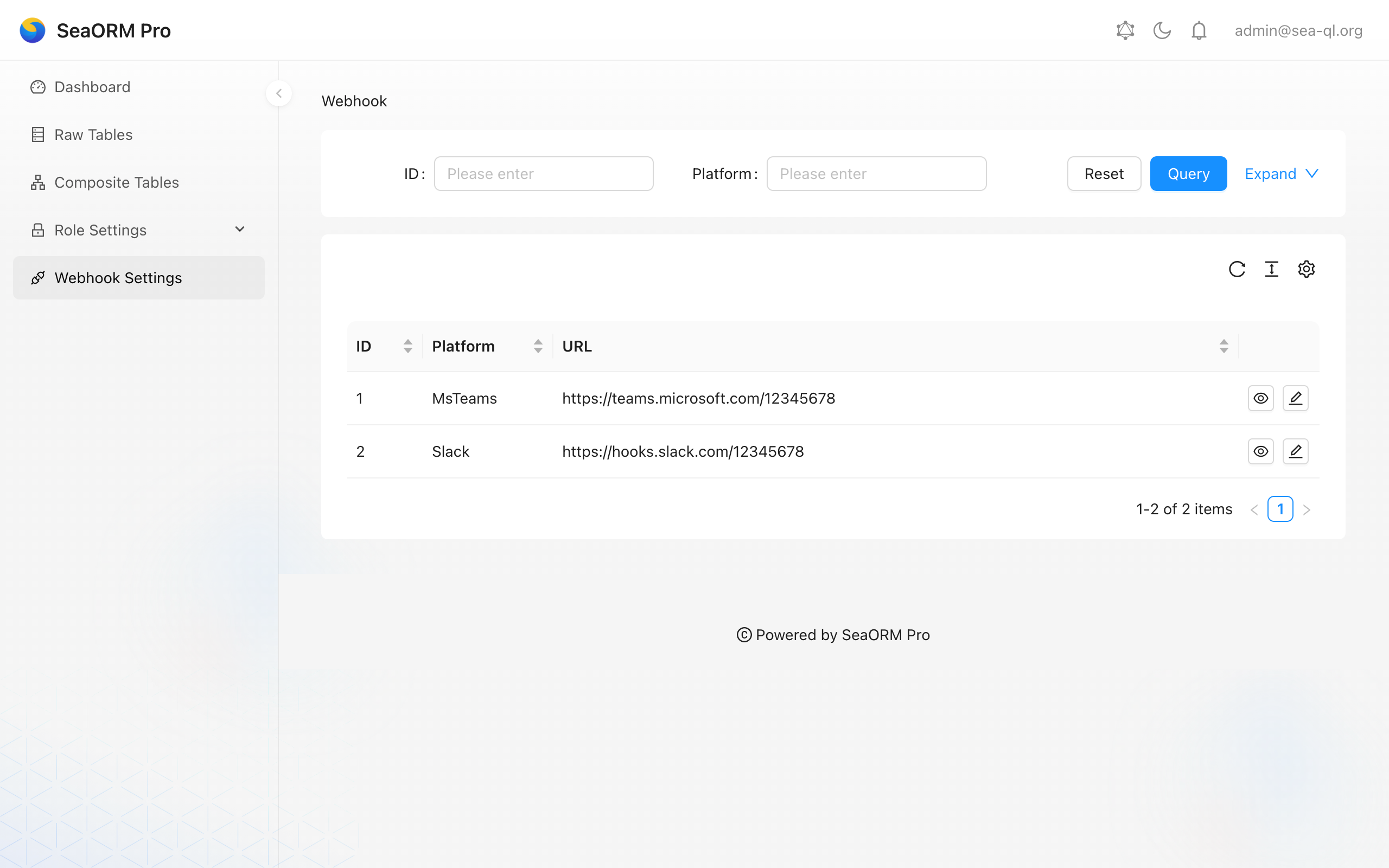
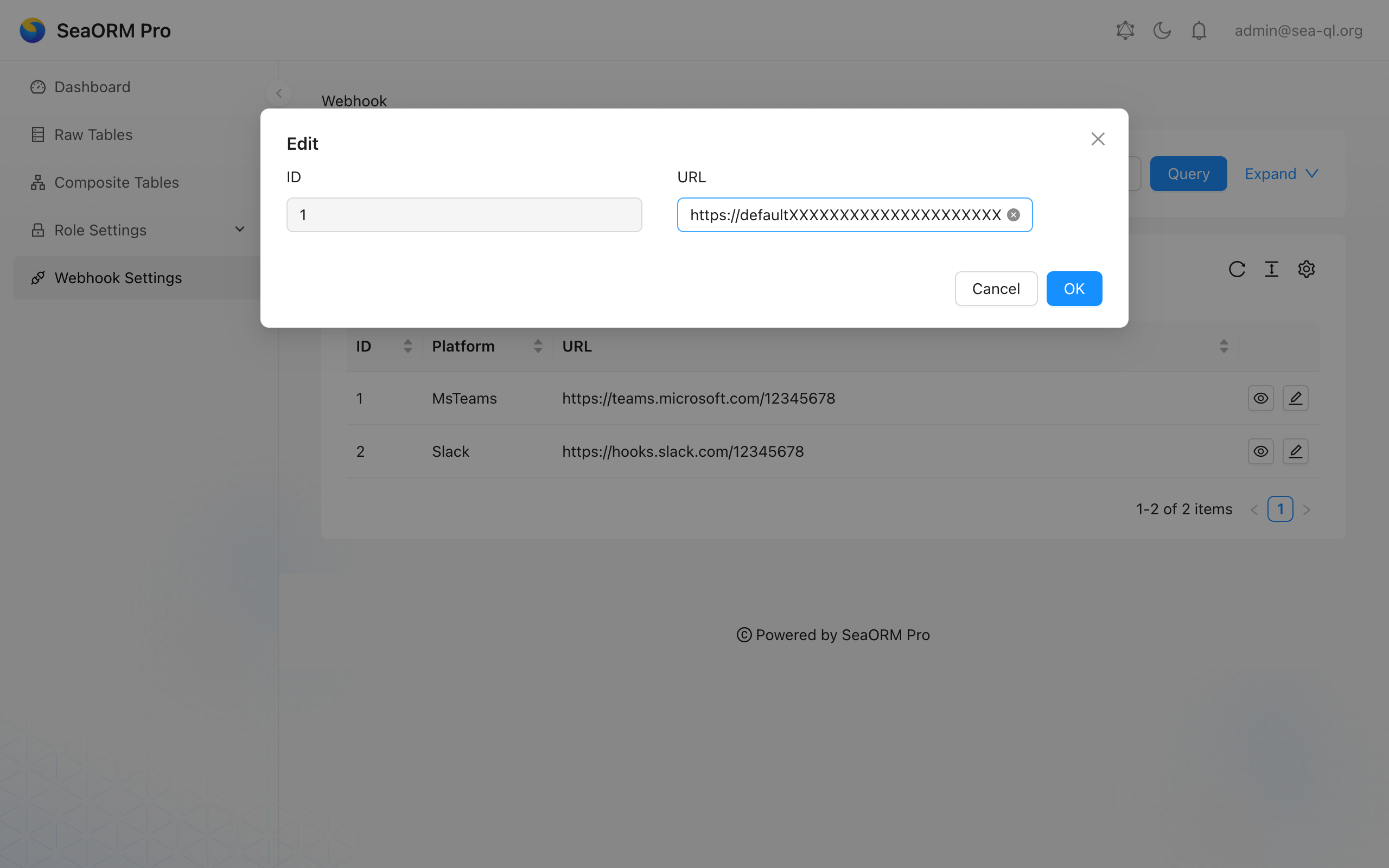
You can perform quick update of webhook URL here.
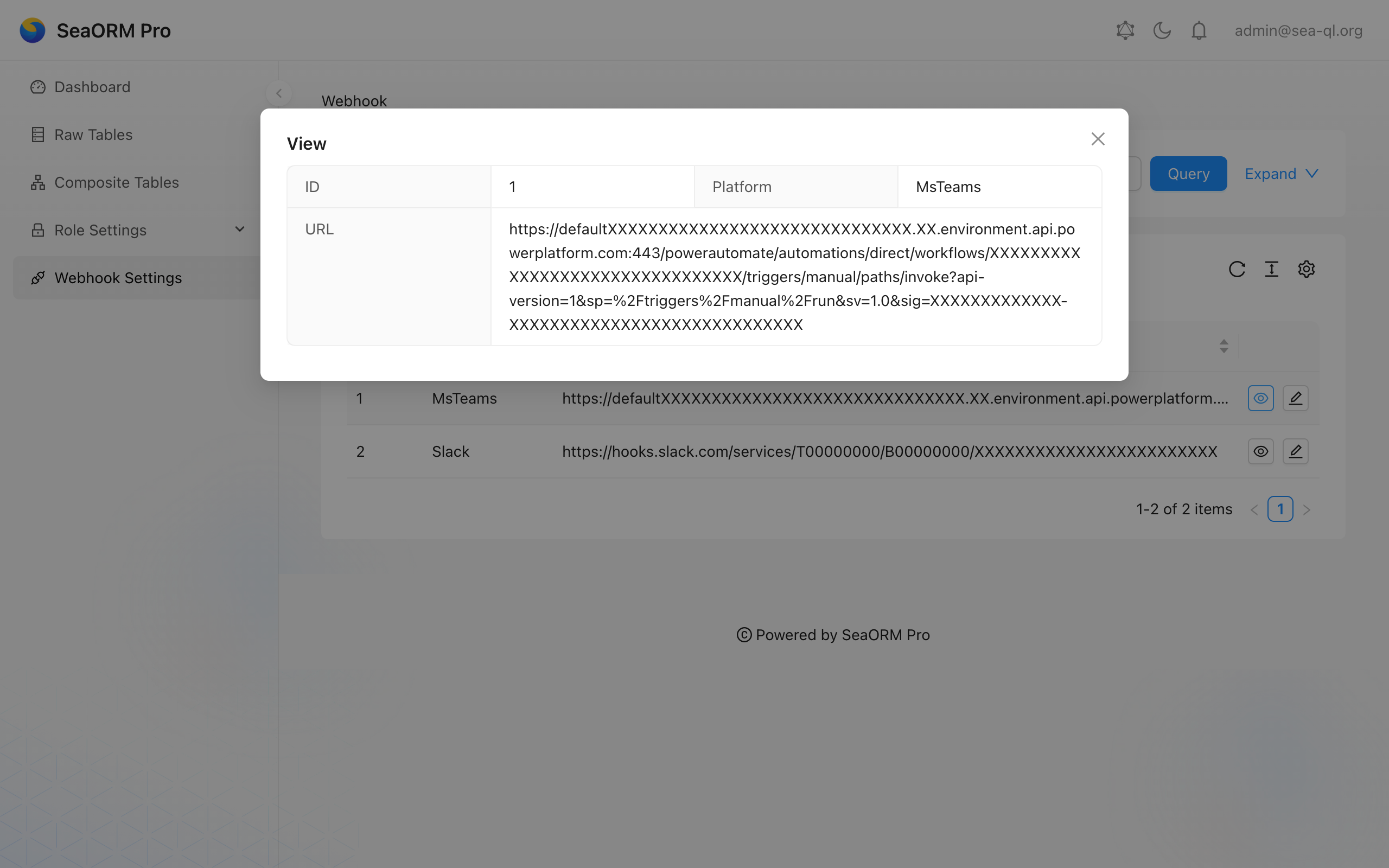
Double check the webhook URL is correct.
Config Webhook programatically
You can also create new webhooks using database migration, such as m20260101_000001_webhook.rs:
#[async_trait::async_trait]
impl MigrationTrait for Migration {
    async fn up(&self, manager: &SchemaManager) -> Result<(), DbErr> {
        let db = manager.get_connection();
        sea_orm_notify::create_tables(db).await?;

        webhook::ActiveModel {
            id: NotSet,
            platform: Set(WebhookPlatform::MsTeams),
            url: Set("https://teams.microsoft.com/12345678".to_owned()),
        }
        .insert(db)
        .await?;

        webhook::ActiveModel {
            id: NotSet,
            platform: Set(WebhookPlatform::Slack),
            url: Set("https://hooks.slack.com/12345678".to_owned()),
        }
        .insert(db)
        .await?;

        // ...
    }

    async fn down(&self, manager: &SchemaManager) -> Result<(), DbErr> {
        // ...
    }
}
Setup Slack Webhook
The step-by-step walkthrough is available here.
Setup Microsoft Teams Webhook
The step-by-step walkthrough is available here.
Sending Notifications
Define after_save Trigger
A common place to trigger notification is right after a database row being inserted or updated. For example in address.rs, we will trigger a notification after every successful insert or update:
#[async_trait::async_trait]
impl ActiveModelBehavior for ActiveModel {
    async fn after_save<C>(model: Model, db: &C, insert: bool) -> Result<Model, DbErr>
    where
        C: ConnectionTrait,
    {
        let action = if insert { "Inserted" } else { "Updated" };
        let message = format!("{action} Address Model ID: {}", model.address_id);
        sea_orm_notify::notify_all(db, &message).await?;
        tracing::info!("{message}");
        Ok(model)
    }
}
Of course these triggers can also be defined at individual API endpoints, where access to DatabaseConnection is provided.
Unicast / Multicast
There are two methods to send notification, they are defined in sea-orm-notify/src/lib.rs:
// Send the notification to all webhook
sea_orm_notify::notify_all(db, message).await?;

// Send the notification to a specific webhook only
sea_orm_notify::notify(db, WebhookId(1), message).await?;
Formatting Messages
You can format the notification messages with basic markdown.
Note that Slack has their own dialect. On MS Teams, a subset of HTML is supported. SeaORM Pro automatically compiles markdown to HTML when sending via Teams.
Notification Queue and Background Worker
Notification will be stored in the sea_orm_notification table and with a column named sent to indicate the notification has been sent or not. A background task will send all pending notification in sequence from old to new, the source code is available at sea-orm-notify/src/lib.rs.
The background task should be spawned during the initialization of the Loco app in app.rs:
pub struct App;
#[async_trait]
impl Hooks for App {
    // ...

    async fn initializers(ctx: &AppContext) -> Result<Vec<Box<dyn Initializer>>> {
        let initializers: Vec<Box<dyn Initializer>> =
            vec![Box::new(initializers::graphql::GraphQLInitializer)];

        sea_orm_notify::run_background_task(ctx.db.clone());

        Ok(initializers)
    }

    // ...
}
Notification Status
The ✅ checkmark indicates that the notification was sent successfully.
You can click the ⟳ (Resend) button to resend the notification immediately.
SeaORM Pro Plus
SeaORM Pro Plus unlocks Role Based Access Control (RBAC), notifications, and the frontend source code. We prioritize answering questions and feature requests from sponsors. You can access the repository as a Pro tier Sponsor.
What's Next?
There's really a lot we want to build, to make SeaORM Pro suit the needs of every project. Please consider being a sponsor and take part in shaping its future!
Here's what we have in mind:
- Single Sign On: To be able to sign-in with Google Workspace or Microsoft Business email.
- Audit Log: And so, we'd want to keep a record of users' action and being able to audit them.
- Tasks: To be able to visualize and control scheduled tasks, and kick start once off tasks in ad-hoc way.