61 posts tagged with "news"

View All Tags

What's new in SeaORM 1.1.7

· 14 min read
SeaQL Team
Chris Tsang
SeaORM 1.0 Banner

This blog post summarizes the new features and enhancements introduced in SeaORM 1.1:

New Features

Support Postgres Vector

#2500 The popular pgvector extension enables efficient storage and querying of high-dimensional vector data, supporting applications like similarity search, recommendation systems, and other AI tools.

Thanks to the contribution of @28Smiles, PgVector is now integrated nicely into the SeaQL ecosystem (under feature flag postgres-vector).

// Model
#[derive(Clone, Debug, PartialEq, DeriveEntityModel)]
#[sea_orm(table_name = "image_model")]
pub struct Model {
#[sea_orm(primary_key)]
pub id: i32,
pub embedding: PgVector,
}

// Schema
sea_query::Table::create()
.table(image_model::Entity.table_ref())
.col(ColumnDef::new(Column::Id).integer().not_null().auto_increment().primary_key())
.col(ColumnDef::new(Column::Embedding).vector(None).not_null())
..

// Insert
ActiveModel {
id: NotSet,
embedding: Set(PgVector::from(vec![1., 2., 3.])),
}
.insert(db)
.await?

Nested Objects in Relational Queries

#2508 #2179 #1716

We now have a good answer to Why SeaORM does not nest objects for parent-child relation!

The latest improvements to the FromQueryResult and DerivePartialModel macros allows you to nest objects easily, simplifying the construction of complex queries.

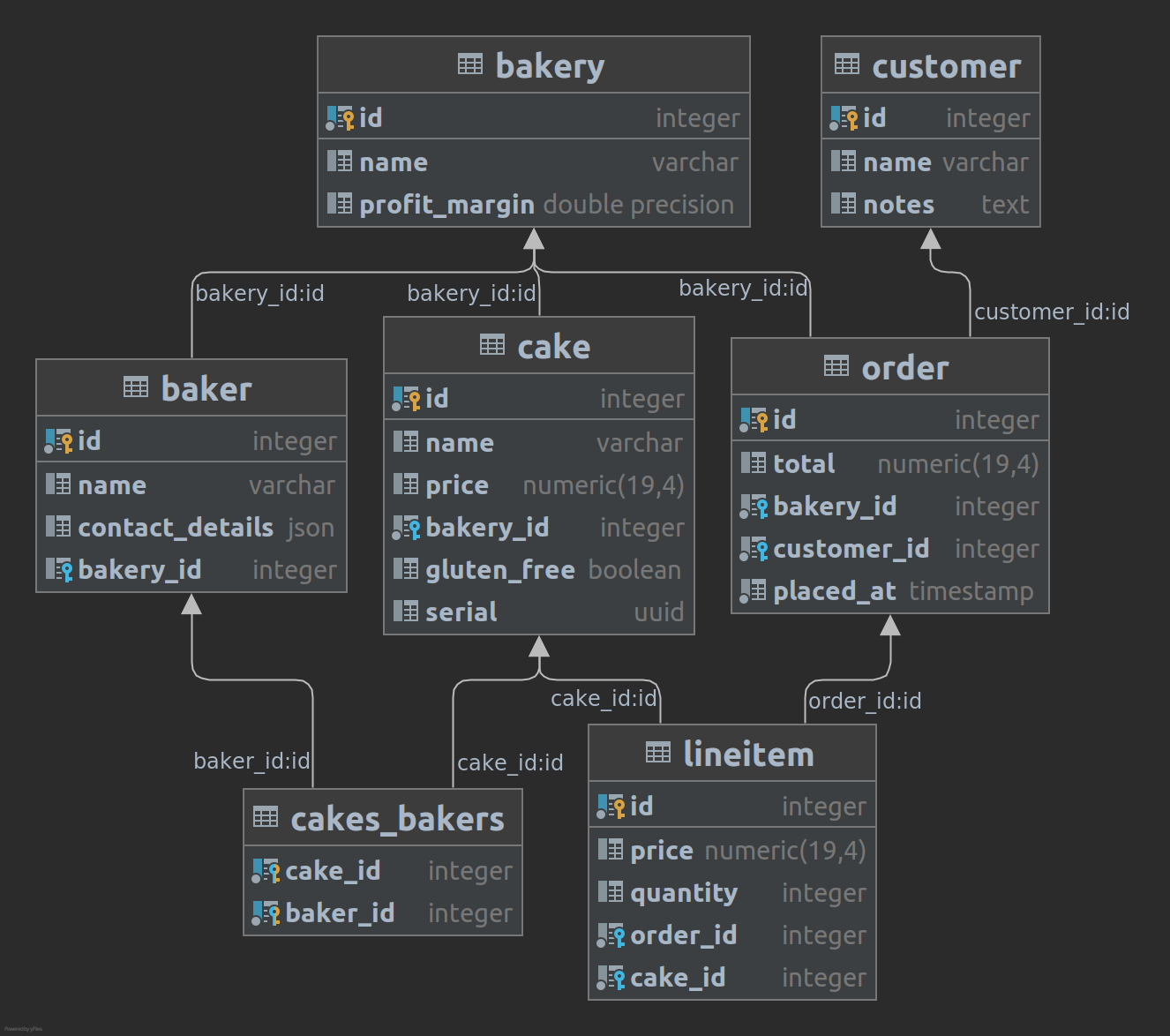
To illustrate, let's take a look at the Bakery Schema again.

Bakery ERD

As a simple first example, we'd like to select Cake with Bakery:

#[derive(FromQueryResult)]
struct Cake {
id: i32,
name: String,
#[sea_orm(nested)]
bakery: Option<Bakery>,
}

#[derive(FromQueryResult)]
struct Bakery {
#[sea_orm(from_alias = "bakery_id")]
id: i32,
#[sea_orm(from_alias = "bakery_name")]
brand: String,
}

let cake: Cake = cake::Entity::find()
.select_only()
.column(cake::Column::Id)
.column(cake::Column::Name)
.column_as(bakery::Column::Id, "bakery_id")
.column_as(bakery::Column::Name, "bakery_name")
.left_join(bakery::Entity)
.order_by_asc(cake::Column::Id)
.into_model()
.one(db)
.await?
.unwrap();

assert_eq!(
cake,
Cake {
id: 1,
name: "Basque cheesecake".to_string(),
bakery: Some(Bakery {
id: 20,
brand: "Super Baker".to_string(),
})
}
);

Because the tables cake and bakery have some duplicate column names, we'd have to do custom selects. select_only here clears the default select list, and we apply aliases with column_as. Then, in FromQueryResult we use from_alias to map the query result back to the nested struct.

You may wonder if there are ways to not do the alias and mapping? Yes! There's where DerivePartialModel comes into play. The previous example can be written as:

#[derive(DerivePartialModel)] // FromQueryResult is no longer needed
#[sea_orm(entity = "cake::Entity", from_query_result)]
struct Cake {
id: i32,
name: String,
#[sea_orm(nested)]
bakery: Option<Bakery>,
}

#[derive(DerivePartialModel)]
#[sea_orm(entity = "bakery::Entity", from_query_result)]
struct Bakery {
id: i32,
#[sea_orm(from_col = "Name")]
brand: String,
}

// same as previous example, but without the custom selects
let cake: Cake = cake::Entity::find()
.left_join(bakery::Entity)
.order_by_asc(cake::Column::Id)
.into_partial_model()
.one(db)
.await?
.unwrap();

Under the hood, bakery_ prefix will be added to the column alias in the SQL query.

SELECT
"cake"."id" AS "id",
"cake"."name" AS "name",
"bakery"."id" AS "bakery_id",
"bakery"."name" AS "bakery_brand"
FROM "cake"
LEFT JOIN "bakery" ON "cake"."bakery_id" = "bakery"."id"
ORDER BY "cake"."id" ASC LIMIT 1

Now, let's look at one more advanced three-way join. Our join tree starts from Order:

Order -> Customer
-> LineItem -> Cake
#[derive(Debug, DerivePartialModel, PartialEq)]
#[sea_orm(entity = "order::Entity", from_query_result)]
struct Order {
id: i32,
total: Decimal,
#[sea_orm(nested)]
customer: Customer,
#[sea_orm(nested)]
line: LineItem,
}

#[derive(Debug, DerivePartialModel, PartialEq)]
#[sea_orm(entity = "customer::Entity", from_query_result)]
struct Customer {
name: String,
}

#[derive(Debug, DerivePartialModel, PartialEq)]
#[sea_orm(entity = "lineitem::Entity", from_query_result)]
struct LineItem {
price: Decimal,
quantity: i32,
#[sea_orm(nested)]
cake: Cake,
}

#[derive(Debug, DerivePartialModel, PartialEq)]
#[sea_orm(entity = "cake::Entity", from_query_result)]
struct Cake {
name: String,
}

let items: Vec<Order> = order::Entity::find()
.left_join(customer::Entity)
.left_join(lineitem::Entity)
.join(JoinType::LeftJoin, lineitem::Relation::Cake.def())
.order_by_asc(order::Column::Id)
.order_by_asc(lineitem::Column::Id)
.into_partial_model()
.all(db)
.await?;

assert_eq!(
items,
[
Order {
id: 101,
total: Decimal::from(10),
customer: Customer {
name: "Bob".to_owned()
},
line: LineItem {
cake: Cake {
name: "Cheesecake".to_owned()
},
price: Decimal::from(2),
quantity: 2,
}
},
..
]
);

That's it! Hope you like these new features, and a huge thanks to @Goodjooy for laying the foundation, @jreppnow for implementing the nested logic, and everyone who participated in the discussion.

Bonus: PartialModel -> ActiveModel

#2517 DerivePartialModel got another extension to derive IntoActiveModel as well. Absent attributes will be filled with NotSet. This allows you to have a cake and eat it!

#[derive(DerivePartialModel)]
#[sea_orm(entity = "cake::Entity", into_active_model)]
struct PartialCake {
id: i32,
name: String,
}

let partial_cake = PartialCake {
id: 12,
name: "Lemon Drizzle".to_owned(),
};

// this is now possible:
assert_eq!(
cake::ActiveModel {
..partial_cake.into_active_model()
},
cake::ActiveModel {
id: Set(12),
name: Set("Lemon Drizzle".to_owned()),
..Default::default()
}
);

Three way select

#2518 With PartialModel being so powerful, if you still need to do non-nested selects, there's SelectThree, an extension to SelectTwo:

Order -> Lineitem -> Cake
let items: Vec<(order::Model, Option<lineitem::Model>, Option<cake::Model>)> =
order::Entity::find()
.find_also_related(lineitem::Entity)
.and_also_related(cake::Entity)
.order_by_asc(order::Column::Id)
.order_by_asc(lineitem::Column::Id)
.all(db)
.await?;

Insert heterogeneous models

#2433 Insert many now allows active models to have different column sets (it previously panics). Missing columns will be filled with NULL. This makes seeding data (e.g. with Loco) a seamless operation.

let apple = cake_filling::ActiveModel {
cake_id: ActiveValue::set(2),
filling_id: ActiveValue::NotSet,
};
let orange = cake_filling::ActiveModel {
cake_id: ActiveValue::NotSet,
filling_id: ActiveValue::set(3),
};
assert_eq!(
Insert::<cake_filling::ActiveModel>::new()
.add_many([apple, orange])
.build(DbBackend::Postgres)
.to_string(),
r#"INSERT INTO "cake_filling" ("cake_id", "filling_id") VALUES (2, NULL), (NULL, 3)"#,
);

Improved Seaography Integration

#2403 We've simplified the code by allowing you to register entities into Seaography's GraphQL schema directly within the entity module.

pub mod prelude;

pub mod sea_orm_active_enums;

pub mod baker;
pub mod bakery;
pub mod cake;
pub mod cakes_bakers;

seaography::register_entity_modules!([
baker,
bakery,
cake,
cakes_bakers,
]);

seaography::register_active_enums!([
sea_orm_active_enums::Tea,
]);

Enhancements

assert_eq!(
Entity::insert_many([
ActiveModel { id: NotSet, name: Set("two".into()) },
ActiveModel { id: NotSet, name: Set("three".into()) },
])
.exec_with_returning_many(db)
.await
.unwrap(),
[
Model { id: 2, name: "two".into() },
Model { id: 3, name: "three".into() },
]
);

assert_eq!(
cakes_bakers::Entity::insert_many([
cakes_bakers::ActiveModel {
cake_id: Set(1),
baker_id: Set(2),
},
cakes_bakers::ActiveModel {
cake_id: Set(2),
baker_id: Set(1),
},
])
.exec_with_returning_keys(db)
.await
.unwrap(),
[(1, 2), (2, 1)]
);
  • Added DeleteOne::exec_with_returning & DeleteMany::exec_with_returning #2432
  • Support complex type path in DeriveIntoActiveModel #2517
#[derive(DeriveIntoActiveModel)]
#[sea_orm(active_model = "<fruit::Entity as EntityTrait>::ActiveModel")]
struct Fruit {
cake_id: Option<Option<i32>>,
}
  • Added DatabaseConnection::close_by_ref #2511
pub async fn close(self) -> Result<(), DbErr> { .. } // existing
pub async fn close_by_ref(&self) -> Result<(), DbErr> { .. } // new
  • Added Schema::json_schema_from_entity to construct schema metadata for Entities
assert_eq!(
Schema::new(DbBackend::MySql).json_schema_from_entity(lunch_set::Entity),
json! {
"columns": [
{
"name": "id",
"nullable": false,
"type": "integer"
},
{
"name": "name",
"nullable": false,
"type": "string"
},
{
"name": "tea",
"nullable": false,
"type": {
"name": "tea",
"variants": [
"EverydayTea",
"BreakfastTea"
]
}
}
],
"primary_key": [
"id"
]
}
);
  • Construct DatabaseConnection directly from sqlx::PgPool, sqlx::SqlitePool and sqlx::MySqlPool #2348
// these are implemented:
impl From<MySqlPool> for SqlxMySqlPoolConnection { .. }
impl From<MySqlPool> for DatabaseConnection { .. }

// so this is now possible:
let db: DatabaseConnection = mysql_pool.into();
  • Expose underlying row types (e.g. sqlx::postgres::PgRow) #2265
  • [sea-orm-migration] Allow modifying the connection in migrations #2397
#[async_std::main]
async fn main() {
cli::run_cli_with_connection(migration::Migrator, |connect_options| async {
let db = Database::connect(connect_options).await?;
if db.get_database_backend() == DatabaseBackend::Sqlite {
register_sqlite_functions(&db).await;
}
Ok(db)
}).await;
}
  • [sea-orm-cli] Added MIGRATION_DIR environment variable #2419
  • [sea-orm-cli] Added acquire-timeout option #2461
  • [sea-orm-cli] Added impl-active-model-behavior option #2487
  • [sea-orm-cli] Added with-prelude option #2322
    • all: the default value (current behaviour), will generate prelude.rs and add it to mod.rs / lib.rs
    • all-allow-unused-imports: will generate prelude.rs and add it to mod.rs, plus adding #![allow(unused_imports)] in the module
    • none: will not generate prelude.rs

Upgrades

  • Upgrade sqlx to 0.8 #2305 #2371
  • Upgrade bigdecimal to 0.4 #2305
  • Upgrade sea-query to 0.32.0 #2305
  • Upgrade sea-query-binder to 0.7 #2305
  • Upgrade sea-schema to 0.16 #2305
  • Upgrade ouroboros to 0.18 #2353

House Keeping

  • Cleanup legacy ActiveValue::Set #2515
  • Remove futures crate, replace with futures-util #2466

Release Planning

SeaORM 1.0 is a stable release. As demonstrated, we are able to ship many new features without breaking the API. The 1.x version will be updated until at least October 2025, and we'll decide whether to release a 2.0 version or extend the 1.x life cycle.

SQL Server Support

We've been beta-testing SQL Server for SeaORM for a while. If you are building software for your company, please request early access.

If you feel generous, a small donation will be greatly appreciated, and goes a long way towards sustaining the organization.

A big shout out to our GitHub sponsors 😇:

Numeus

Caido

Marcus Buffett


Maxwell Koo

Spencer Ferris

Dean Sheather

Naoki Ikeguchi

Data Intuitive

Marlon Mueller

MasakiMiyazaki

Manfred Lee

KallyDev

Afonso Barracha

gnuphie

Wait... there's one more thing

"Are we web yet?" is a recurring question in the Rust community, the answer is yes, yes, YES!

If you are looking for a batteries-included full-stack web development framework that is strongly-typed, asynchronous, robust and high-performance, look no further than Rust + Loco + SeaQL. We highly recommend giving Loco a try - "It’s Like Ruby on Rails, but for Rust."

With this final piece of software, my vision for a complete full-stack Rust environment is now realized. After years of development in SeaORM + Seaography, I am excited to introduce it to you:

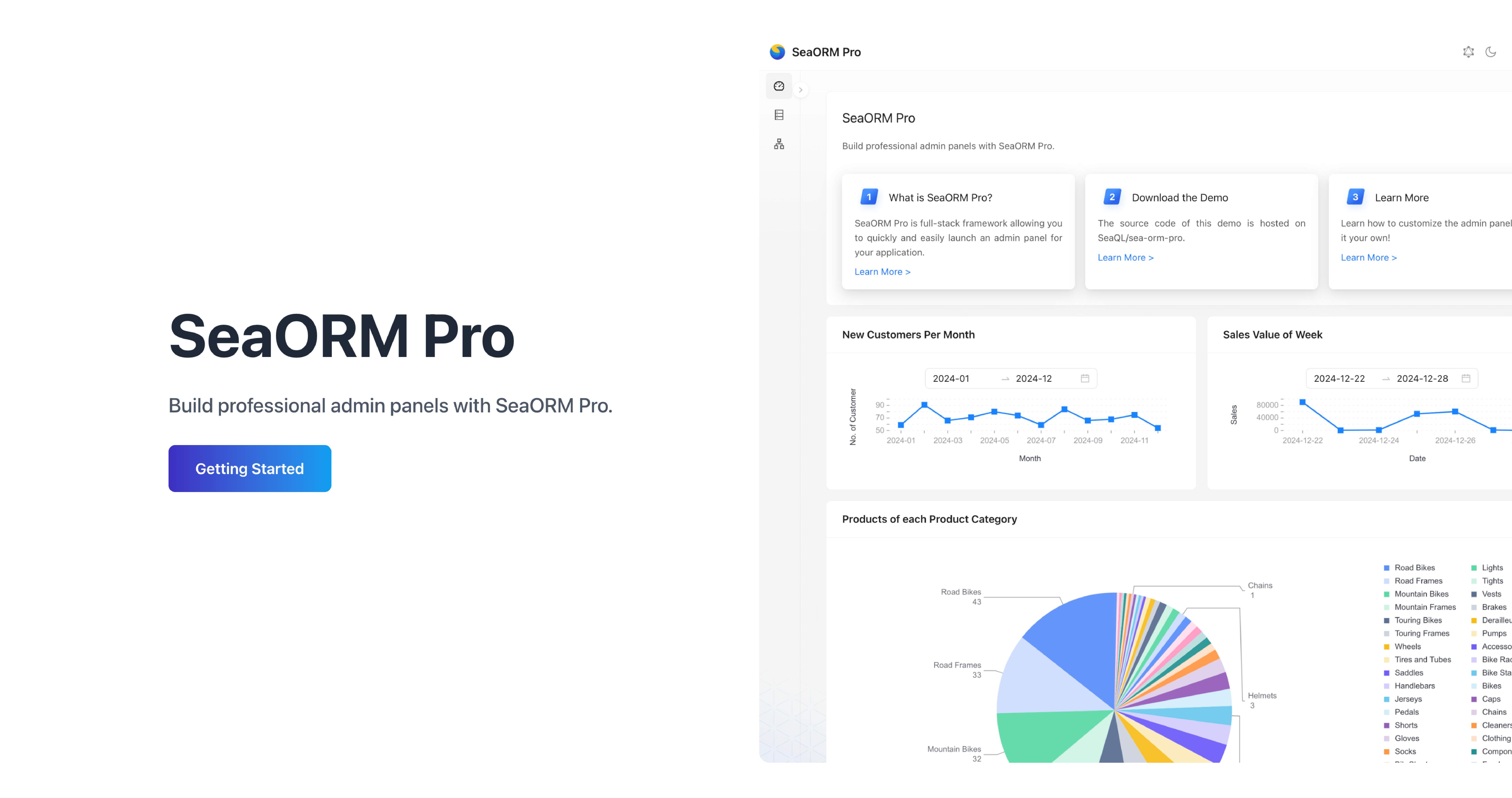
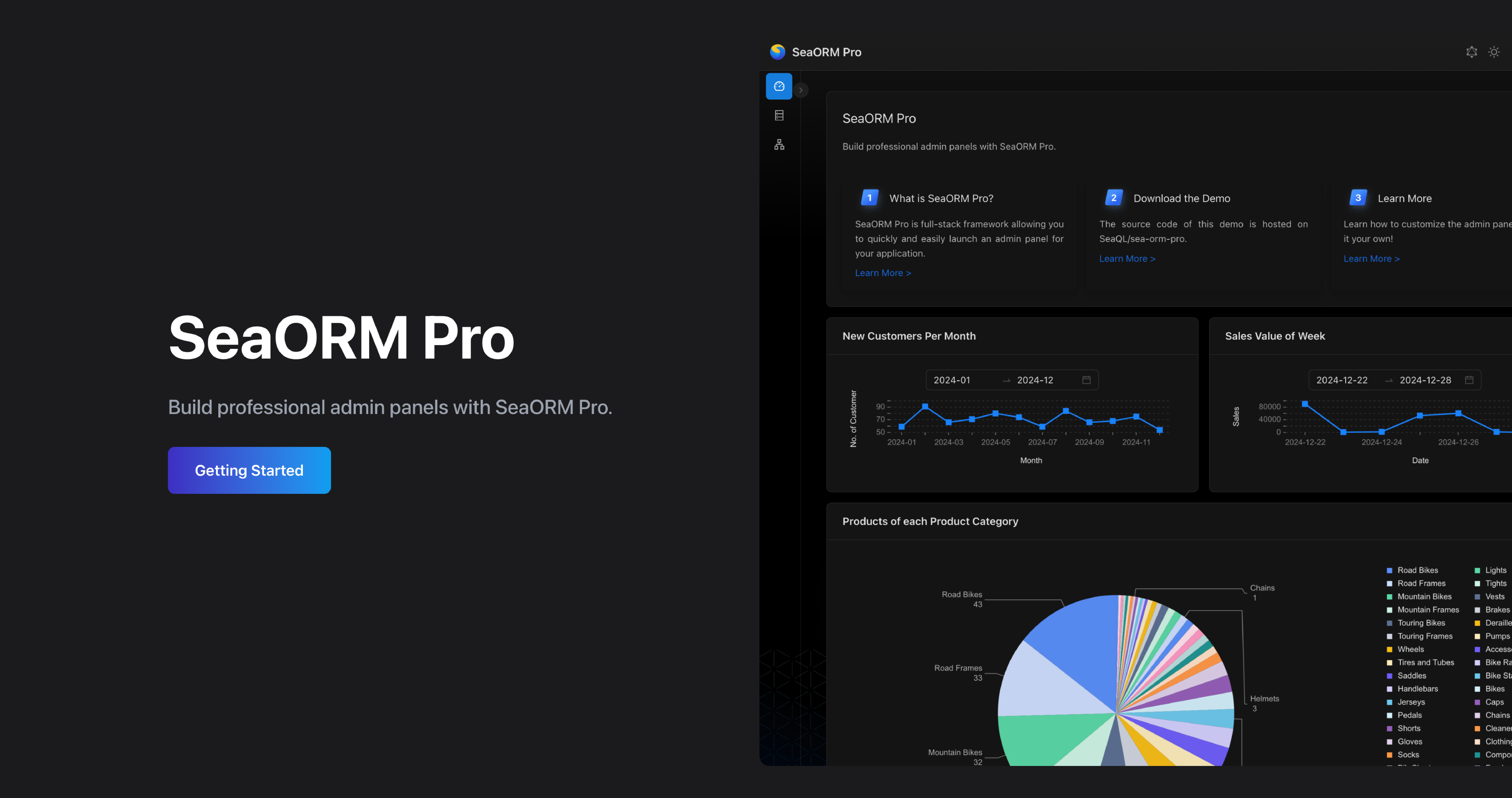
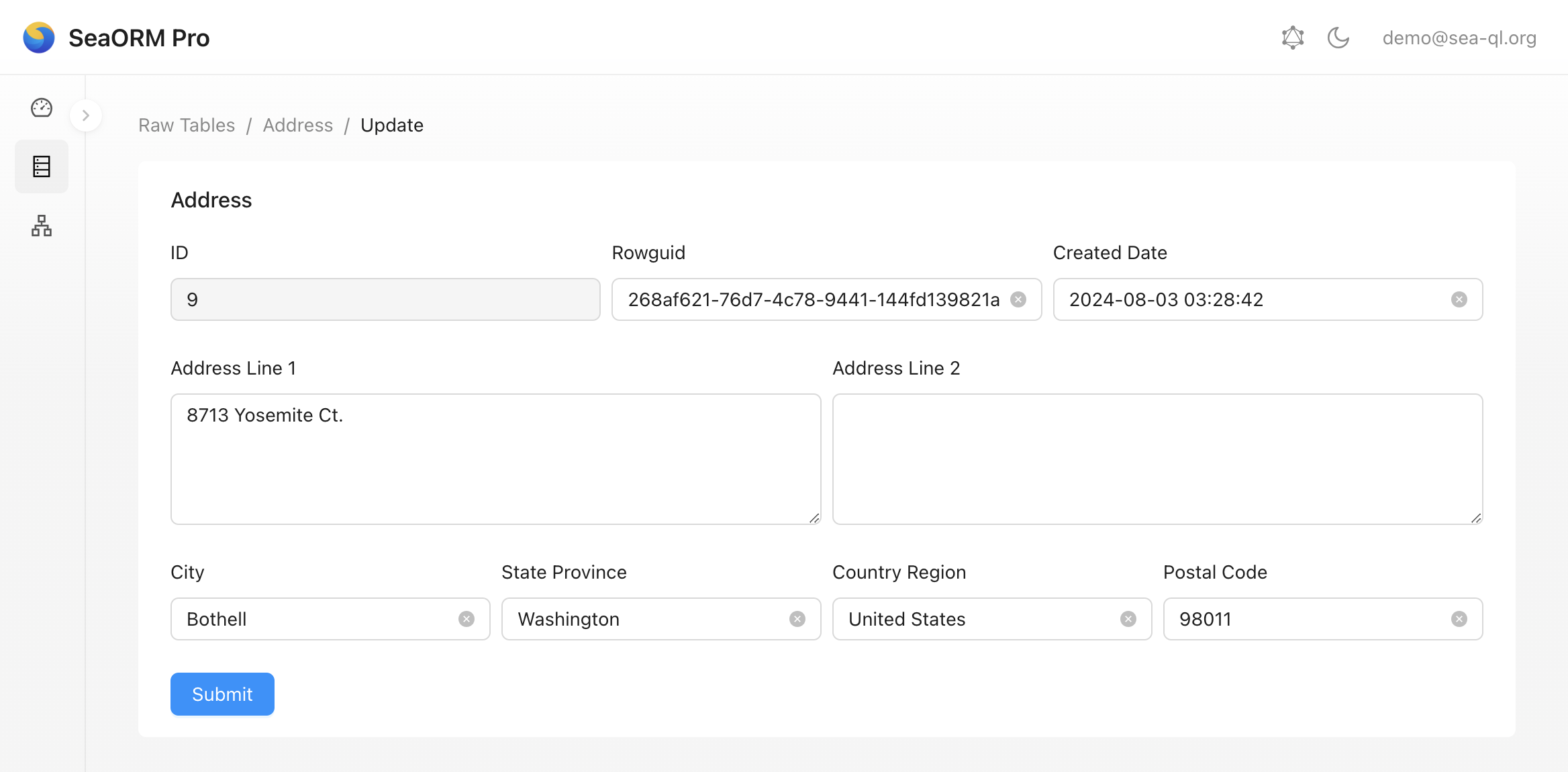
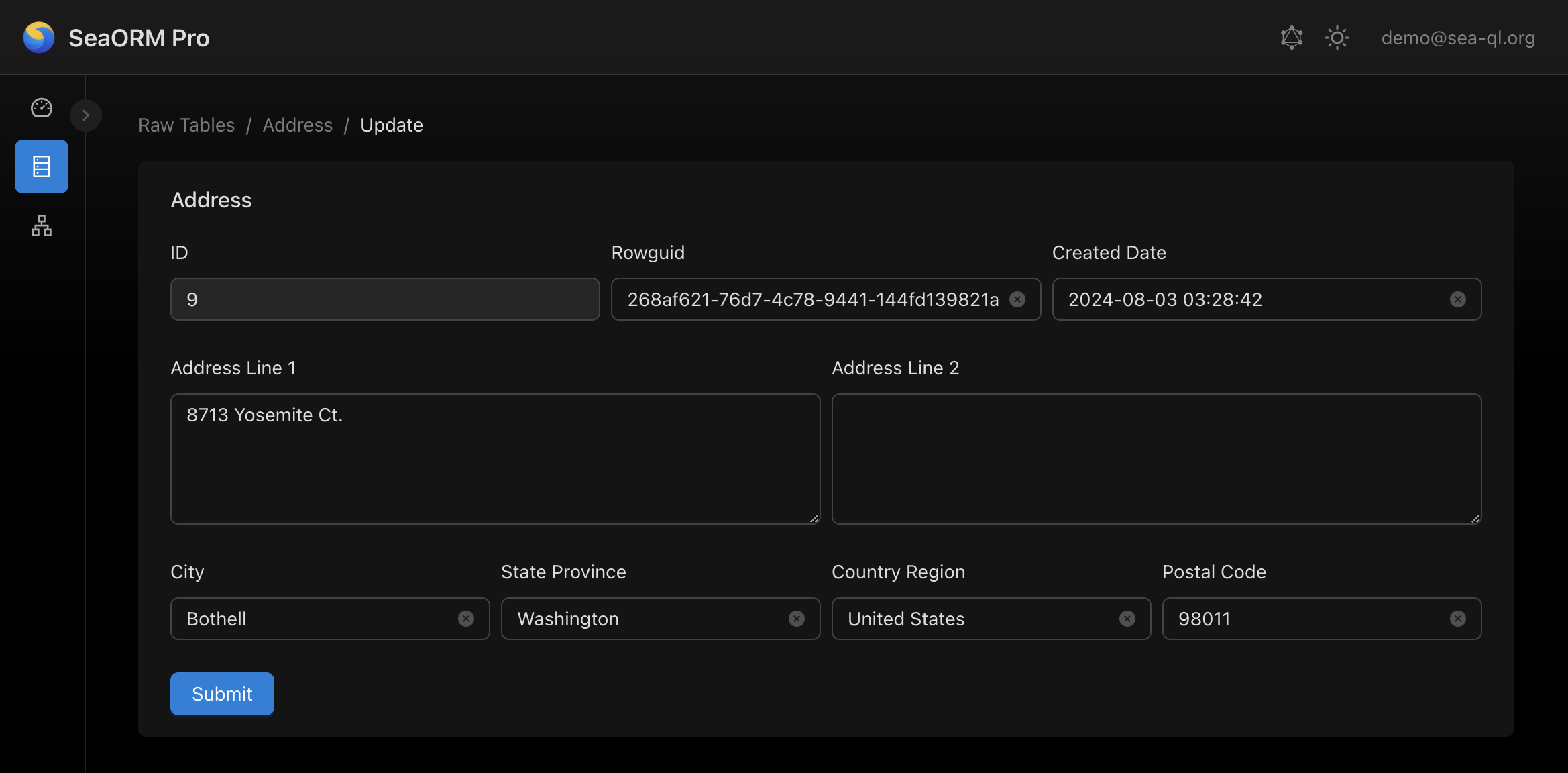
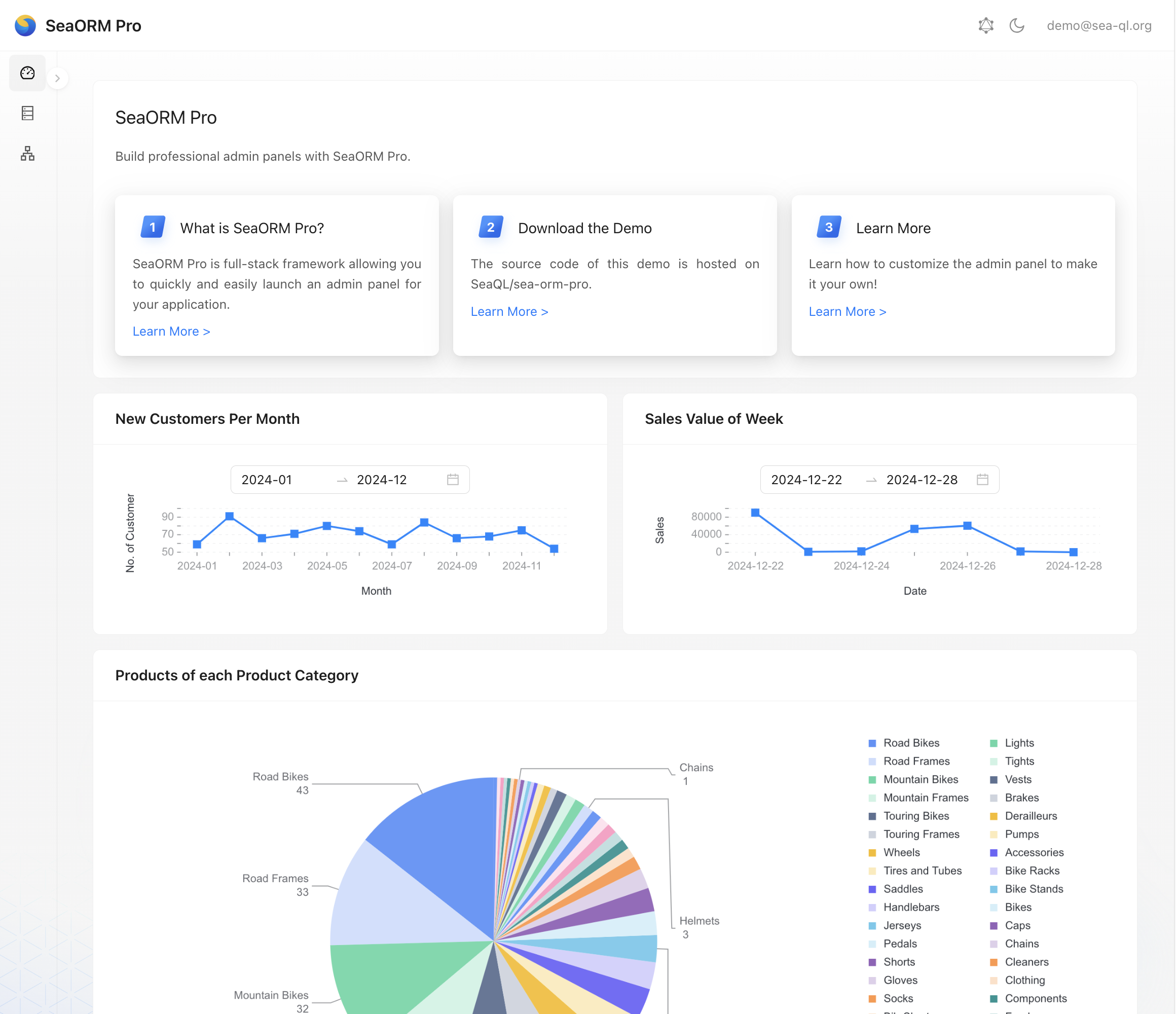
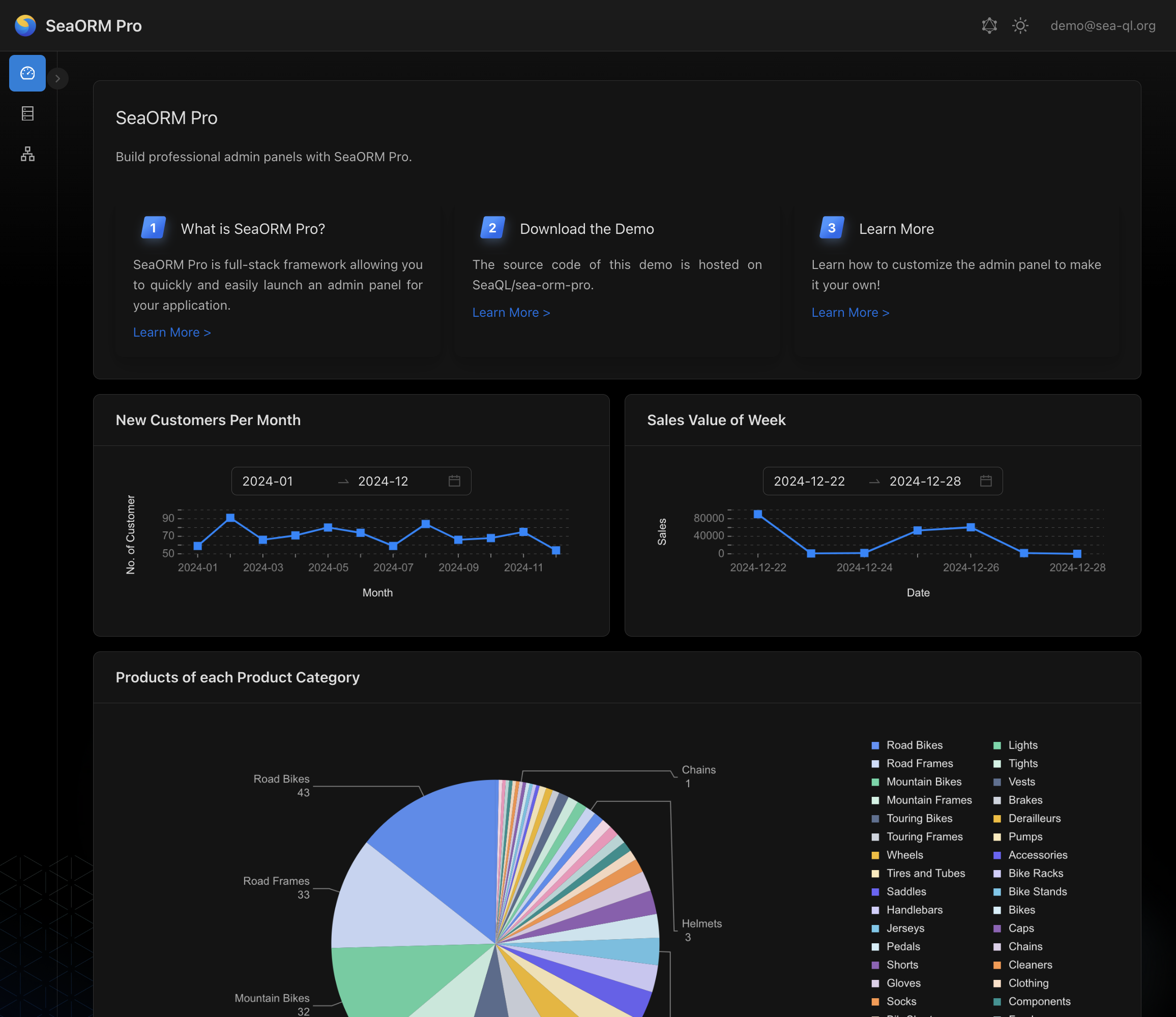
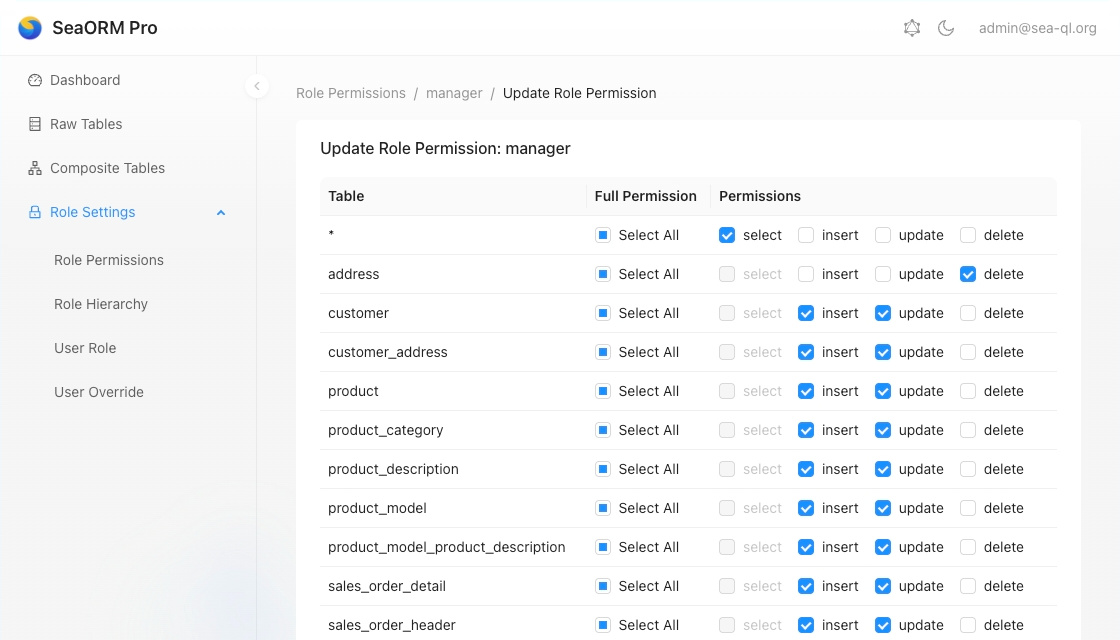
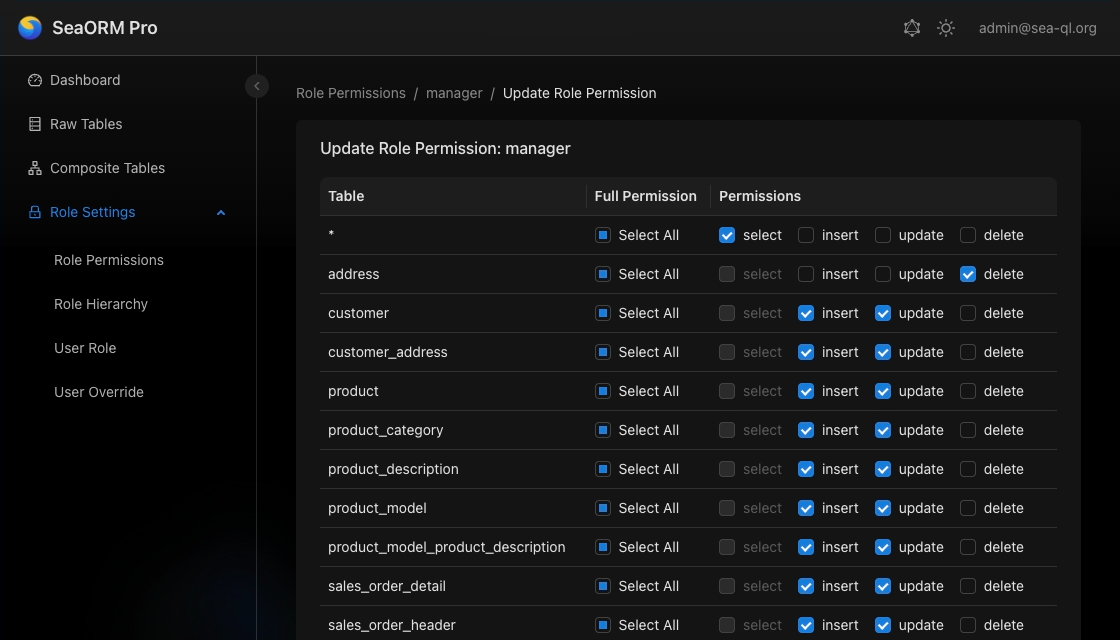
🖥️ SeaORM Pro: Professional Admin Panel

SeaORM Pro is an admin panel solution allowing you to quickly and easily launch an admin panel for your application - frontend development skills not required, but certainly nice to have!

Features:

  • Full CRUD
  • Built on React + GraphQL
  • Built-in GraphQL resolver
  • Customize the UI with simple TOML

Learn More

Tutorial: Modeling Inheritance in SeaORM

· 7 min read
SeaQL Team
Chris Tsang

Introduction

This tutorial walks you through the design and implementation of a REST API endpoint that involves some complex relational queries.

The API looks like this:

POST /api/v1/complex-products

Parameters (JSON body):

FieldTypeDescription
idint[]Get products with these ids
namestringSearch products with name matching this
typeenum of ProductTypeLimit products to this type

Return example:

{
"id": 1,
"name": "Mountain Bike V2",
"type": "Bike",
"price": "2500.0",
"lot_size": "1.0",
"date_added": "2020-01-01T00:00:00",
"last_modified": "2025-01-02T12:18:54",
"history": [
{
"from": "2020-01-01T00:00:00",
"until": "2022-01-01T00:00:00",
"name": "Mountain Bike V1"
}
]
}

Schema

Imagine we run a store with many types of products. Each product type has its own attributes and we want to factor out the common product attributes to a base class.

In OOP terms:

struct BaseProduct {
r#type: ProductType,
..
}

// made up syntax, but it means inheritance
struct ComplexProduct: BaseProduct { .. }

enum ProductType { .. }

In SQL terms, we have 3 entities and 2 relations among them:

  • BaseProduct -> ComplexProduct
  • BaseProduct -> ProductType

Below are the SeaORM Entities:

BaseProduct

#[derive(Clone, Debug, PartialEq, DeriveEntityModel, Eq)]
#[sea_orm(table_name = "base_product")]
pub struct Model {
#[sea_orm(primary_key)]
pub id: i64,
#[sea_orm(unique)]
pub name: String,
pub type_id: i32, // linking to product_type
}

#[derive(Copy, Clone, Debug, EnumIter, DeriveRelation)]
pub enum Relation {
#[sea_orm(has_one = "super::complex_product::Entity")]
ComplexProduct,
#[sea_orm(has_many = "super::product_history::Entity")]
ProductHistory,
#[sea_orm(
belongs_to = "super::product_type::Entity",
from = "Column::TypeId",
to = "super::product_type::Column::Id",
on_update = "NoAction",
on_delete = "NoAction"
)]
ProductType,
}

ComplexProduct

#[derive(Clone, Debug, PartialEq, DeriveEntityModel, Eq)]
#[sea_orm(table_name = "complex_product")]
pub struct Model {
#[sea_orm(primary_key, auto_increment = false)]
pub product_id: i64, // linking to base_product
#[sea_orm(column_type = "Decimal(Some((30, 15)))", nullable)]
pub price: Option<Decimal>,
#[sea_orm(column_type = "Decimal(Some((30, 15)))", nullable)]
pub lot_size: Option<Decimal>,
pub date_added: DateTime,
pub last_modified: DateTime,
}

#[derive(Copy, Clone, Debug, EnumIter, DeriveRelation)]
pub enum Relation {
#[sea_orm(
belongs_to = "super::base_product::Entity",
from = "Column::ProductId",
to = "super::base_product::Column::Id",
on_update = "NoAction",
on_delete = "Cascade"
)]
BaseProduct,
}

ProductType

Basically an 'enum table'.

#[derive(Clone, Debug, PartialEq, DeriveEntityModel, Eq)]
#[sea_orm(table_name = "product_type")]
pub struct Model {
#[sea_orm(primary_key)]
pub id: i32,
#[sea_orm(unique)]
pub name: String,
}

#[derive(Copy, Clone, Debug, EnumIter, DeriveRelation)]
pub enum Relation {
#[sea_orm(has_many = "super::base_product::Entity")]
BaseProduct,
}

1. Define result data structure

#[derive(Clone, Debug, PartialEq, Eq, FromQueryResult, Serialize)]
pub struct ComplexProduct {
pub id: i64,
pub name: String,
pub r#type: String,
pub price: Decimal,
pub lot_size: Decimal,
pub date_added: DateTime,
pub last_modified: DateTime,
#[sea_orm(skip)]
pub history: Vec<product_history::Model>,
}

With Serialize, you can transform the select result into JSON directly.

2. Define helper aliases

#[derive(DeriveIden, Clone, Copy)]
pub struct Id;

#[derive(DeriveIden, Clone, Copy)]
pub struct Name;

#[derive(DeriveIden, Clone, Copy)]
pub struct Base;

use complex_product::Entity as Prod;
pub type ProdCol = <Prod as EntityTrait>::Column;
type ProdRel = <Prod as EntityTrait>::Relation;

This would make our code much more concise and readable.

Avoid using Alias::new because it's error-prone and slightly more expensive.

3. Custom selects

fn query() -> Select<complex_product::Entity> {
complex_product::Entity::find()
.select_only()
.tbl_col_as((Base, Id), "id")
.tbl_col_as((Base, Name), "name")
.column_as(product_type::Column::Name, "type")
.column_as(ProdCol::Price, "price")
.column_as(ProdCol::LotSize, "lot_size")
.column_as(ProdCol::DateAdded, "date_added")
.column_as(ProdCol::LastModified, "last_modified")
.join_as(JoinType::InnerJoin, ProdRel::BaseProduct.def(), Base)
.join(JoinType::InnerJoin, base_product::Relation::ProductType.def().from_alias(Base))
.order_by_asc(Expr::col((Base, Id)))
}

Our query starts from ComplexProduct. We join back to BaseProduct, alias it as Base. We then join to ProductType via Base:

ComplexProduct -> BaseProduct as Base -> ProductType

column_as automatically prefix the column with the table name. from_alias is doing the magic here, allowing us to reuse the existing Relation by overwriting the left hand side of the on condition.

You can use the join method to construct complex joins in select queries. It takes any RelationDef, and you can further customize the join conditions. You can find more examples here.

4. Filter Conditions

Let's define struct for query parameters. Again, using serde here so it can be deserialized from JSON.

#[derive(Default, Deserialize)]
pub struct Query {
#[serde(default)]
pub id: Vec<i64>, // if unspecified, will be an empty vec
pub name: Option<String>,
pub r#type: Option<String>,
}

Then, we transform the parameters into SQL where conditions:

fn condition(query: Query) -> Condition {
Condition::all()
.add_option(if !query.id.is_empty() {
Some(Expr::col((Base, Id)).is_in(query.id))
} else { None })
.add_option(if let Some(name) = &query.name {
Some(Expr::col((Base, Name)).like(name))
} else { None })
.add_option(if let Some(r#type) = &query.r#type {
Some(product_type::Column::Name.eq(r#type))
} else { None })
}

Bonus tip: if you're only using Postgres you can replace is_in with any:

use sea_orm::sea_query::extension::postgres::PgFunc;

Expr::col((Base, Id)).eq(PgFunc::any(query.id)) // WHERE base.id = ANY($N)

Combining the above functions, here is how we implement the API endpoint:

pub async fn query_products(db: DbConn, q: Query)
-> Result<Vec<ComplexProduct>, DbErr>
{
query()
.filter(condition(q))
.into_model::<ComplexProduct>()
.all(&db)
.await
}

5. Associated models

Suppose we have a data structure associated with each BaseProduct recording its history.

ProductHistory

#[derive(Clone, Debug, PartialEq, DeriveEntityModel, Eq, Serialize)]
#[sea_orm(table_name = "product_history")]
pub struct Model {
#[sea_orm(primary_key)]
#[serde(skip)]
pub id: i32,
#[serde(skip)]
pub product_id: i64,
pub from: DateTime,
pub until: DateTime,
pub name: Option<String>,
}

#[derive(Copy, Clone, Debug, EnumIter, DeriveRelation)]
pub enum Relation {
#[sea_orm(
belongs_to = "super::base_product::Entity",
from = "Column::ProductId",
to = "super::base_product::Column::Id",
on_update = "NoAction",
on_delete = "Cascade"
)]
BaseProduct,
}

Let's make a helper function to query the histories associated to a set of products:

fn history_of(ids: Vec<i64>) -> Select<product_history::Entity> {
product_history::Entity::find()
.filter(Expr::col(product_history::Column::ProductId).is_in(ids))
.order_by_asc(product_history::Column::Id)
}

let histories = history_of(products.iter().map(|s| s.id).collect::<Vec<_>>())
.all(&db)
.await?;

The final step is to associate product_history::Model to ComplexProduct:

// parent should be unique and already ordered by id.
fn associate(
mut parent: Vec<ComplexProduct>,
children: Vec<product_history::Model>,
) -> Vec<ComplexProduct> {
let len = parent.len();
parent.dedup_by_key(|s| s.id);
if len != parent.len() {
warn!("parent is not unique.");
}

let parent_id_map: HashMap<i64, usize> = parent
.iter()
.enumerate()
.map(|(i, s)| (s.id, i))
.collect();

// put children into associated parent
for item in children {
if let Some(index) = parent_id_map.get(&item.product_id) {
parent[*index].history.push(item);
}
}

parent
}

let products = associate(products, histories);

This is sometimes called "data loader" pattern, and can be generalized with generics to work with any models.

Conclusion

SeaORM's type system encourages you to write modular and reusable code, embracing the "Don't repeat yourself" principle.

You define the Entities and Relations once.

You define the aliases and query helpers once.

You can pass the Select<T> and Condition around.

You then assemble these pieces together to implement any complex API!

🦀 Rustacean Sticker Pack

The Rustacean Sticker Pack is the perfect way to express your passion for Rust. Our stickers are made with a premium water-resistant vinyl with a unique matte finish. Stick them on your laptop, notebook, or any gadget to show off your love for Rust!

Moreover, all proceeds contributes directly to the ongoing development of SeaQL projects.

Sticker Pack Contents:

  • Logo of SeaQL projects: SeaQL, SeaORM, SeaQuery, Seaography, FireDBG
  • Mascot of SeaQL: Terres the Hermit Crab
  • Mascot of Rust: Ferris the Crab
  • The Rustacean word

Support SeaQL and get a Sticker Pack!

Rustacean Sticker Pack by SeaQL

SeaQL Community Survey 2024 Results

· 5 min read
Billy Chan
SeaQL Team

695 members of the SeaQL community from 47 countries kindly contributed their thoughts on using SeaQL libraries, learning Rust and employing Rust in their day to day development lives. From these responses we hope to get an understanding of where the SeaQL and Rust community stands in 2024.

This is our first community survey, we will conduct the survey annually to keep track of how the community evolves over time.

Developer Profile

Q. Where are you located in?

Participants are from 47 countries across the world!

Other: ArmeniaAzerbaijanBangladeshCambodiaColombia CroatiaCzech RepublicDenmarkEgyptFinlandGuatemalaIsraelItalyKazakhstanKenyaNepalRomaniaSaudi ArabiaSlovakiaSloveniaSouth AfricaSpainSwedenSyriaTurkey

Q. Including any education, how many years have you been coding in total?

Q. Which of the following describes your current job, the one you do most of the time?

Other: Academic researcherMarketing or sales professionalEngineer, dataData or business analystSolution ArchitectDeveloper, QA or testDesignerDeveloper, game or graphicsHobbyist DeveloperEducator

Using SeaQL Libraries in Building a Project

Q. Roughly how long have you been using SeaQL libraries?

Q. Which SeaQL libraries are you using?

Q. Are you using SeaQL libraries in a personal, academic or professional context?

Q. How many team members (including you) are working on the project?

Q. Can you categorize the nature of the project?

Other: Backend for a Web 3.0 ApplicationIoT ApplicationBackend SystemA Document GeneratorMobile ProjectSaaSDatabase for a Cybersecurity SoftwareAPI学习项目Backend for a Multiplatform Application (Using Tauri)Frontend + Backend Work

Q. What is your development environment?

Linux Breakdown

Windows Breakdown

macOS Breakdown

Q. Which database(s) do you use?

Other: SurrealDBEdgeDBMariaDBMariaDB Galera ClusterMongoDBlibSQLMSSQLTImescaleYugabyteOracle Database

Q. Which web framework are you using?

Other: SolidJSTauriTonictrilliumVueWarp

Q. What is the deployment environment?

Other: DigitalOcean App PlatformDogYunFly.ioOracle Cloud

Using Rust at Work

Q. Are you using Rust at work?

Q. Which industry your company is in?

Other: Space Situational AwarenessSecurityAdsBettingConstructionAutomotiveLast Mile LogisticsIoT

Q. How many engineers in your company are dedicated to writing Rust?

Q. What is the size of your company?

Q. Which layer(s) of the technology stack are using Rust?

Other: EmbeddedHardware Drivers

Q. Would your company be interested in using SeaQL libraries with other databases?

Learning Rust

Q. Are you learning / new to Rust?

Q. Which language(s) are you most familiar with?

Other: ErlangCobolLuaPerlRPGAssembly

Q. Do you find Rust easy or hard to learn?

Q. What motivates you to learn Rust?

Other: School makes me to learnBetter option to learn than C/C++it's fantasticStability of ecosystem, security, speedThe ease of writing clean code

Q. What learning resources do you rely on?

Q. What is your first project built using Rust?

Q. Are you familiar with SQL?

About SeaQL Libraries

Q. Why did you choose SeaQL libraries?

Other: sea-orm-cli codegenErgonomic APIWord of mouth

Q. Which aspects do you want to see advancement on SeaORM?

Other: Better macros for less boilerplate codeAutomatic migrationSchema diffing for migrations

Q. What tools would you be interested in using, if developed first-party by SeaQL?

Share Your Thoughts

Q. Anything else you want to say?

Didn't expect this section to turn into a testimonial, thank you for all the kind words :)

Love your toolchain, it's awesome to work with!

Wonderful library! To provide some additional feedback: I found myself missing documentation in certain parts of the API, leading to me having to guess what the method actually does for a given database backend (namely in relation to query builders).

Schema/migration management would be really nice. I have used Django in the past and loved the automatic migration file generation.

SeaORM is great - it just replaces existing asp.net entity framework projects at our company.

🦀 Rustacean Sticker Pack

The Rustacean Sticker Pack is the perfect way to express your passion for Rust. Our stickers are made with a premium water-resistant vinyl with a unique matte finish. Stick them on your laptop, notebook, or any gadget to show off your love for Rust!

Moreover, all proceeds contributes directly to the ongoing development of SeaQL projects.

Sticker Pack Contents:

  • Logo of SeaQL projects: SeaQL, SeaORM, SeaQuery, Seaography, FireDBG
  • Mascot of SeaQL: Terres the Hermit Crab
  • Mascot of Rust: Ferris the Crab
  • The Rustacean word

Support SeaQL and get a Sticker Pack!
Rustacean Sticker Pack by SeaQL

What's new in SeaQuery 0.32.x

· 7 min read

🎉 We are pleased to release SeaQuery 0.32.0 / 0.32.1! Here are some feature highlights 🌟:

New Features

Unify Expr and SimpleExpr Methods with ExprTrait #791

Previously, "operator" methods (e.g. add, eq) are duplicated across Expr and SimpleExpr, but the list of methods is slightly different for each. And since Expr and SimpleExpr are distinct types, it makes writing generic code difficult.

The ExprTrait looks like this:

pub trait ExprTrait: Sized {
// Required methods
fn as_enum<N>(self, type_name: N) -> SimpleExpr
where N: IntoIden;
fn binary<O, R>(self, op: O, right: R) -> SimpleExpr
where O: Into<BinOper>,
R: Into<SimpleExpr>;
fn cast_as<N>(self, type_name: N) -> SimpleExpr
where N: IntoIden;
fn unary(self, o: UnOper) -> SimpleExpr;

// Provided methods
fn add<R>(self, right: R) -> SimpleExpr where R: Into<SimpleExpr> { ... }
fn and<R>(self, right: R) -> SimpleExpr where R: Into<SimpleExpr> { ... }
fn between<A, B>(self, a: A, b: B) -> SimpleExpr
where A: Into<SimpleExpr>,
B: Into<SimpleExpr> { ... }
fn div<R>(self, right: R) -> SimpleExpr where R: Into<SimpleExpr> { ... }
fn eq<R>(self, right: R) -> SimpleExpr where R: Into<SimpleExpr> { ... }
fn equals<C>(self, col: C) -> SimpleExpr where C: IntoColumnRef { ... }

// omitting the where clause below to make it more concise ..

fn gt<R>(self, right: R) -> SimpleExpr;
fn gte<R>(self, right: R) -> SimpleExpr;
fn in_subquery(self, sel: SelectStatement) -> SimpleExpr;
fn in_tuples<V, I>(self, v: I) -> SimpleExpr;
fn is<R>(self, right: R) -> SimpleExpr;
fn is_in<V, I>(self, v: I) -> SimpleExpr;
fn is_not<R>(self, right: R) -> SimpleExpr;
fn is_not_in<V, I>(self, v: I) -> SimpleExpr;
fn is_not_null(self) -> SimpleExpr;
fn is_null(self) -> SimpleExpr;
fn left_shift<R>(self, right: R) -> SimpleExpr;
fn like<L>(self, like: L) -> SimpleExpr;
fn lt<R>(self, right: R) -> SimpleExpr;
fn lte<R>(self, right: R) -> SimpleExpr;
fn modulo<R>(self, right: R) -> SimpleExpr;
fn mul<R>(self, right: R) -> SimpleExpr;
fn ne<R>(self, right: R) -> SimpleExpr;
fn not(self) -> SimpleExpr;
fn not_between<A, B>(self, a: A, b: B) -> SimpleExpr;
fn not_equals<C>(self, col: C) -> SimpleExpr;
fn not_in_subquery(self, sel: SelectStatement) -> SimpleExpr;
fn not_like<L>(self, like: L) -> SimpleExpr;
fn or<R>(self, right: R) -> SimpleExpr;
fn right_shift<R>(self, right: R) -> SimpleExpr;
fn sub<R>(self, right: R) -> SimpleExpr;
fn bit_and<R>(self, right: R) -> SimpleExpr;
fn bit_or<R>(self, right: R) -> SimpleExpr;
}
  • Added ExprTrait to unify Expr and SimpleExpr methods
  • Added impl<T> ExprTrait for T where T: Into<SimpleExpr> to maintain backwards compatibility for all Into<SimpleExpr> types, such as Value and FunctionCall
  • Added trait PgExpr: ExprTrait: database specific expression for Postgres and impl PgExpr for FunctionCall, ColumnRef, Keyword, LikeExpr, Value
  • Added trait SqliteExpr: ExprTrait: database specific expression for SQLite and impl SqliteExpr for FunctionCall, ColumnRef, Keyword, LikeExpr, Value

Support of Postgres Vector #774

Example:

assert_eq!(
Query::select()
.columns([Char::Character])
.from(Char::Table)
.and_where(
Expr::col(Char::Character).eq(Expr::val(pgvector::Vector::from(vec![1.0, 2.0])))
)
.to_string(PostgresQueryBuilder),
r#"SELECT "character" FROM "character" WHERE "character" = '[1,2]'"#
);

Support Partial Index #478

  • Support partial index CREATE INDEX .. WHERE ..

Example (Postgres):

assert_eq!(
Index::create()
.unique()
.nulls_not_distinct()
.name("partial-index-glyph-image-not-null")
.table(Glyph::Table)
.col(Glyph::Image)
.and_where(Expr::col(Glyph::Image).is_not_null())
.to_string(PostgresQueryBuilder),
r#"CREATE UNIQUE INDEX "partial-index-glyph-image-not-null" ON "glyph" ("image") NULLS NOT DISTINCT WHERE "image" IS NOT NULL"#
);

Example (Sqlite):

assert_eq!(
Index::create()
.if_not_exists()
.unique()
.name("partial-index-glyph-image-not-null")
.table(Glyph::Table)
.col(Glyph::Image)
.and_where(Expr::col(Glyph::Image).is_not_null())
.to_string(SqliteQueryBuilder),
r#"CREATE UNIQUE INDEX IF NOT EXISTS "partial-index-glyph-image-not-null" ON "glyph" ("image") WHERE "image" IS NOT NULL"#
);

Get Null Value

This one may seem a little bummer, but it is type system problem. In order to support the Postgres protocol, SeaQuery's Value enum does not have a Null variant. This new Value::as_null method allows you to:

  1. construct a typed null value
  2. nullify a value
  3. define generic functions (impl Into<Value>)
let v = Value::Int(Some(2));
let n = v.as_null();

assert_eq!(n, Value::Int(None));

// one liner:
assert_eq!(Into::<Value>::into(2.2).as_null(), Value::Double(None));

Bitwise AND/OR Operators #841

Examples:

let query = Query::select()
.expr(1.bit_and(2).eq(3))
.to_owned();

assert_eq!(
query.to_string(PostgresQueryBuilder),
r#"SELECT (1 & 2) = 3"#
);
let query = Query::select()
.expr(1.bit_or(2).eq(3))
.to_owned();

assert_eq!(
query.to_string(PostgresQueryBuilder),
r#"SELECT (1 | 2) = 3"#
);

Enhancements

  • #817 Replaced Educe with manual implementations
    • This is an effort to cut down compilation time
  • #844 Added GREATEST & LEAST function
  • #836 Added ValueType::enum_type_name()
  • #835 Removed "one common table" restriction on recursive CTE

sea-query-derive

We've finally done it! Removing the last bit of syn v1 from our dependency tree:

sea-query % cargo tree |grep 'syn '
│ └── syn v2.0.39
│ │ └── syn v2.0.39 (*)
│ └── syn v2.0.39 (*)
├── syn v2.0.39 (*)
└── syn v2.0.39 (*)
│ │ └── syn v2.0.39 (*)
  • Merged #[enum_def] into sea-query-derive
  • #769 #[enum_def] now impl additional IdenStatic and AsRef<str>

sea-query-attr

We've merged this crate into sea-query-derive, and they will be maintained together from now on.

  • Updated syn, heck and darling
  • sea-query-attr is now deprecated

Upgrades

  • #798 Upgraded sqlx to 0.8
  • #798 Upgraded bigdecimal to 0.4
  • #802 Upgraded rusqlite to 0.32

Integration Examples

SeaQuery plays well with the other crates in the rust ecosystem.

Community

SeaQL.org is an independent open-source organization run by passionate ️developers. If you like our projects, please star ⭐ and share our repositories. If you feel generous, a small donation via GitHub Sponsor will be greatly appreciated, and goes a long way towards sustaining the organization 🚢.

SeaQuery is a community driven project. We welcome you to participate, contribute and together build for Rust's future 🦀.

Rustacean Sticker Pack 🦀

The Rustacean Sticker Pack is the perfect way to express your passion for Rust. Our stickers are made with a premium water-resistant vinyl with a unique matte finish. Stick them on your laptop, notebook, or any gadget to show off your love for Rust!

Moreover, all proceeds contributes directly to the ongoing development of SeaQL projects.

Sticker Pack Contents:

  • Logo of SeaQL projects: SeaQL, SeaORM, SeaQuery, Seaography, FireDBG
  • Mascot of SeaQL: Terres the Hermit Crab
  • Mascot of Rust: Ferris the Crab
  • The Rustacean word

Support SeaQL and get a Sticker Pack!
Rustacean Sticker Pack by SeaQL

What's new in SeaStreamer 0.5

· 5 min read
Chris Tsang
SeaQL Team

🎉 We are pleased to release SeaStreamer 0.5.x!

Here is the summary of new features and enhancements:

sea-streamer-types

  • Added From<Url> and FromIterator<Url> for StreamerUri #28
  • Impl Default for Payload
  • Impl serde Serialize & Deserialize for StreamKey (enabled by the feature flag serde), so this is now possible:
#[derive(Serialize, Deserialize)]
struct MyStruct {
stream_key: StreamKey,
}

sea-streamer-socket

  • The Socket library can now be compiled without the stdio backend #35

sea-streamer-redis

  • Support nanosecond timestamp in Redis (under feature flag nanosecond-timestamp). Redis's default Stream ID resolution is millisecond, and it can be changed to nanosecond with RedisConnectOptions::set_timestamp_format:
    let mut options = RedisConnectOptions::default();
    options.set_timestamp_format(TimestampFormat::UnixTimestampNanos);
  • Added RedisConnectOptions::set_message_field to set custom message field (the default used to be msg):
    let mut options = RedisConnectOptions::default();
    options.set_message_field("event");
  • Added RedisProducer::send_with_ts to specify custom timestamp:
    producer.send_with_ts(&stream_key, timestamp, message)?;
  • Added RedisProducer::flush_immut. This method is same as RedisProducer::flush but without &mut self
  • Added RedisProducer::trim to perform XTRIM MAXLEN:
    producer.trim(&stream_key, maxlen).await?;
  • Fixed capacity overflow error in some cases

sea-streamer-file

  • Added a special SEA_STREAMER_WILDCARD stream key to subscribe to all streams in a file:
    let consumer: SeaConsumer = streamer
    .create_consumer(&[StreamKey::new(SEA_STREAMER_WILDCARD)?], options)
    .await?;

sea-streamer-fuse

We've shipped the first component library for stream processing! It currently only has one class, StreamJoin.

It is designed to be used in stream replay. In live streaming, if you have multiple streams from different sources and you want to multiplex them together, you can use the awesome futures_concurrency crate's Merge, and it just works!

use futures_concurrency::{stream::Merge, vec::Merge as Merged};

let consumers: Vec<SeaConsumer> = vec![stream_a, stream_b];
let streams: Vec<SeaMessageStream<'a>> = consumers.iter_mut().map(|ss| ss.stream()).collect();
let merged: Merged<SeaMessageStream<'a>> = streams.merge();

stream_a and stream_b can be heterogeneous, meaning they can be Kafka, Redis or even File.

How about in replay? In replay, different streams can flow at different pace, and thus if we try to naively merge them, the messages would come out-of-order.

To solve this problem, you can use StreamJoin::muxed:

type LiveStream<'a> = Merged<SeaMessageStream<'a>>;
let joined: StreamJoin<LiveStream<'a>, SeaMessage<'a>, StreamErr<BackendErr>> = StreamJoin::muxed(merged);

StreamJoin::align must be called manually to specify which streams should be aligned. Otherwise, messages will be out of order until the first message of each key arrives. Imagine a severely delayed stream sending its first message one day later; it would invalidate everything that came before it. However, the issue lies with the delayed stream itself, not the others.

In the example below, messages from the fast stream will be buffered, until a message from the slow stream arrives.

fast | (1) (2) (3) (4) (5)
slow | (2) (6)

Messages 1, 2 from fast will be buffered, until 2 from the slow stream arrives. Likewise, messages 3, 4, 5 will be buffered until 6 arrives.

The StreamJoin component is generic, and can actually be used outside of SeaStreamer, the only requirement is that the thing we want to align implements sea_streamer::Message:

impl Message for MyMessage {
fn stream_key(&self) -> StreamKey { /* implement this */ }

fn timestamp(&self) -> Timestamp { /* implement this */ }

fn shard_id(&self) -> ShardId { /* doesn't matter */ }

fn sequence(&self) -> SeqNo { /* doesn't matter */ }

fn message(&self) -> Payload { /* doesn't matter */ }
}

Anecdote

Over the past year, we've been using SeaStreamer heavily in production and it served us well!

SeaStreamer File is really handy, because it supports live streaming and also duals as an archive, in which it can be rotated and uploaded to the data lake every day. It has replaced our use of Redis in some same-host mpmc streaming scenario.

Redis Streams is also super nice (fast and reliable) and especially easy with SeaStreamer. IMO it's been underrated, it became our default choice for cross-host streaming.

By the way, SeaStreamer File is used as the tracing file format in FireDBG.

Community

SeaQL.org is an independent open-source organization run by passionate ️developers. If you like our projects, please star ⭐ and share our repositories. If you feel generous, a small donation via GitHub Sponsor will be greatly appreciated, and goes a long way towards sustaining the organization 🚢.

Rustacean Sticker Pack 🦀

The Rustacean Sticker Pack is the perfect way to express your passion for Rust. Our stickers are made with a premium water-resistant vinyl with a unique matte finish. Stick them on your laptop, notebook, or any gadget to show off your love for Rust!

Moreover, all proceeds contributes directly to the ongoing development of SeaQL projects.

Sticker Pack Contents:

  • Logo of SeaQL projects: SeaQL, SeaORM, SeaQuery, Seaography, FireDBG
  • Mascot of SeaQL: Terres the Hermit Crab
  • Mascot of Rust: Ferris the Crab
  • The Rustacean word

Support SeaQL and get a Sticker Pack!
Rustacean Sticker Pack by SeaQL

GraphQL based Admin Dashboard with Loco and Seaography

· 7 min read
Billy Chan
SeaQL Team

In this tutorial, we would develop a GraphQL based admin dashboard with Seaography and Loco.

Read our first and second tutorial of the series, Getting Started with Loco & SeaORM, Adding GraphQL Support to Loco with Seaography, if you haven't.

The full source code can be found here.

What is Seaography

Seaography is a GraphQL framework for building GraphQL resolvers using SeaORM entities. It ships with a CLI tool that can generate ready-to-compile Rust GraphQL servers from existing MySQL, Postgres and SQLite databases.

Setup React-Admin Frontend Boilerplate

We use React-Admin as the frontend framework. It provides a convenient boilerplate to start with:

$ npm init react-admin frontend

Select the data provider you want to use, and validate with Enter:
❯ None
I'll configure the data provider myself.

Select the auth provider you want to use, and validate with Enter:
❯ Hard coded local username/password

Enter the name of a resource you want to add, and validate with Enter (leave empty to finish):
(Leave empty and press Enter)

How do you want to install the dependencies?
❯ Using npm

Run the boilerplate then visit http://localhost:5173/, you should see the welcome page:

$ cd frontend

$ npm install

$ npm run dev

> dev
> vite

VITE v4.5.3 ready in 440 ms

➜ Local: http://localhost:5173/

Now, we want to display the React-Admin data table template with mock data. First, we need to add ra-data-json-server dependency, it provides a ready-to-go mock data loader:

$ npm install ra-data-json-server

To prepare the mock data loader, we create a new file:

frontend/src/dataProvider.ts
import jsonServerProvider from 'ra-data-json-server';

export const dataProvider = jsonServerProvider('https://jsonplaceholder.typicode.com');

Then, we change the UI file:

frontend/src/index.tsx
+ import { Admin, Resource, ListGuesser, ShowGuesser } from 'react-admin';
+ import { dataProvider } from './dataProvider';

ReactDOM.createRoot(document.getElementById('root')!).render(
- <React.StrictMode>
- <App />
- </React.StrictMode>
+ <Admin dataProvider={dataProvider}>
+ <Resource name="users" list={ListGuesser} show={ShowGuesser} />
+ </Admin>
);

Run the boilerplate now you should see the user listing page:

$ npm run dev

Click on each row to view its detail page.

Add NPM dependency

Next, we start to integrate our Loco and Seaography backend with React-Admin frontend. We use axios for sending POST request to our GraphQL backend:

$ npm install axios

GraphQL Data Provider

Then, we can start implementing the GraphQL data provider by replacing the content of dataProvider.ts:

frontend/src/dataProvider.ts
- import jsonServerProvider from 'ra-data-json-server';
-
- export const dataProvider = jsonServerProvider('https://jsonplaceholder.typicode.com');

Integrating with our GraphQL endpoint at http://localhost:3000/api/graphql. We implemented two handler below, one fetch data for the post listing and the other to fetch data for a single post:

frontend/src/dataProvider.ts
import { DataProvider } from "react-admin";
import axios from 'axios';

const apiUrl = 'http://localhost:3000/api/graphql';

export const dataProvider: DataProvider = {
// Fetch data for post listing
getList: (resource, params) => {
// Paginator status
const { page, perPage } = params.pagination;
// Sorter status
const { field, order } = params.sort;

// POST request to GraphQL endpoint
return axios.post(apiUrl, {
query: `
query {
notes (
orderBy: { ${field}: ${order} },
pagination: { page: { limit: ${perPage}, page: ${page - 1} }}
) {
nodes {
id
title
createdAt
updatedAt
}
paginationInfo {
pages
current
offset
total
}
}
}
`
})
.then((response) => {
// Unwrap the response
const { nodes, paginationInfo } = response.data.data.notes;
// Return the data array and total number of pages
return {
data: nodes,
total: paginationInfo.total,
};
});
},

// Fetch data for a single post
getOne: (resource, params) => {
// POST request to GraphQL endpoint
return axios.post(apiUrl, {
query: `
query {
notes(filters: {id: {eq: ${params.id}}}) {
nodes {
id
title
content
createdAt
updatedAt
}
}
}
`
})
.then((response) => {
// Unwrap the response
const { nodes } = response.data.data.notes;
// Return the one and only data
return {
data: nodes[0],
};
});
},

getMany: (resource, params) => { },

getManyReference: (resource, params) => { },

update: (resource, params) => { },

updateMany: (resource, params) => { },

create: (resource, params) => { },

delete: (resource, params) => { },

deleteMany: (resource, params) => { },
};

Customize React-Admin Frontend

Replace the React-Admin template frontend with our own custom UI to list all notes from the database.

frontend/src/index.tsx
- ReactDOM.createRoot(document.getElementById('root')!).render(
- <Admin dataProvider={dataProvider}>
- <Resource name="users" list={ListGuesser} show={ShowGuesser} />
- </Admin>
- );

Implement the list and details page with specific columns:

frontend/src/index.tsx
import ReactDOM from 'react-dom/client';
import { Admin, Resource, List, Datagrid, TextField, Show, SimpleShowLayout } from 'react-admin';
import { dataProvider } from './dataProvider';

const PostList = () => (
<List>
<Datagrid bulkActionButtons={false}>
<TextField source="id" />
<TextField source="title" />
<TextField source="content" />
<TextField source="createdAt" />
<TextField source="updatedAt" />
</Datagrid>
</List>
);

const PostShow = () => (
<Show>
<SimpleShowLayout>
<TextField source="id" />
<TextField source="title" />
<TextField source="content" />
<TextField source="createdAt" />
<TextField source="updatedAt" />
</SimpleShowLayout>
</Show>
);

ReactDOM.createRoot(document.getElementById('root')!).render(
<Admin dataProvider={dataProvider}>
<Resource name="posts" list={PostList} show={PostShow} />
</Admin>
);

Auth Free GraphQL Endpoint

Disabled user authentication on GraphQL POST handler endpoint for convenient:

backend/src/controllers/graphql.rs
async fn graphql_handler(
- _auth: auth::JWT,
State(ctx): State<AppContext>,
req: Request<Body>,
) -> Result<Response> {
const DEPTH: usize = 1_000;
const COMPLEXITY: usize = 1_000;
// Construct the the GraphQL query root
let schema = query_root::schema(ctx.db.clone(), DEPTH, COMPLEXITY).unwrap();
// GraphQL handler
let mut graphql_handler = async_graphql_axum::GraphQL::new(schema);
// Execute GraphQL request and fetch the results
let res = graphql_handler.call(req).await.unwrap();

Ok(res)
}

Put It into Action!

Run the React-Admin frontend:

$ cd frontend
$ npm run dev

Run the Loco backend:

$ cd backend
$ cargo run start

Visit http://localhost:5173/, you should see the post listing page:

We are fetching data from the GraphQL backend:

Click on column header to sort by the column in ascending or descending order:

Click on each row to view its detail page:

Conclusion

Adding GraphQL support to Loco application is easy with the help of Seaography. It is an ergonomic library that perfectly integrate with any frontend framework. This tutorial only cover the basic integration of LOco and Seaography including only the querying of data via the GraphQL endpoint. GraphQL mutations are not demonstrated and we leave it for you to code it out!

SQL Server Support

SQL Server for SeaORM is now available as a closed beta. If you are interested`, please signup here.

Migrating from sea-orm to sea-orm-x is straightforward with two simple steps. First, update the existing sea-orm dependency to sea-orm-x and enable the sqlz-mssql feature. Note that you might need to patch SeaORM dependency for the upstream dependencies.

Cargo.toml
sea-orm = { path = "<SEA_ORM_X_ROOT>/sea-orm-x", features = ["runtime-async-std-rustls", "sqlz-mssql"] }
sea-orm-migration = { path = "<SEA_ORM_X_ROOT>/sea-orm-x/sea-orm-migration" }

# Patch SeaORM dependency for the upstream dependencies
[patch.crates-io]
sea-orm = { path = "<SEA_ORM_X_ROOT>/sea-orm-x" }
sea-orm-migration = { path = "<SEA_ORM_X_ROOT>/sea-orm-x/sea-orm-migration" }

Second, update the connection string to connect to the MSSQL database.

# If the schema is `dbo`, simply write:
mssql://username:password@host/database

# Or, specify the schema name by providing an extra `currentSchema` query param.
mssql://username:password@host/database?currentSchema=my_schema

# You can trust peer certificate by providing an extra trustCertificate query param.
mssql://username:password@host/database?trustCertificate=true

SeaORM X has full Loco support and integrate seamlessly with many web frameworks:

  • Actix
  • Axum
  • Async GraphQL
  • jsonrpsee
  • Loco
  • Poem
  • Salvo
  • Tonic

Happy Coding!

Announcing SeaORM 1.0 🐚

· 12 min read
SeaQL Team
Chris Tsang
SeaORM 1.0 Banner

🎉 We are pleased to release SeaORM 1.0 today! This is an special occasion for us, so this blog post will be a little more than a release notes.

Our Journey

It's nearly been three years since our SeaORM 0.2 release. At that time, we set out to build a SQL ORM for the async Rust ecosystem, bringing together the best crates to allow developers to build high-performance and robust web services.

We would like to thank all early-adoptors, contributors and sponsors of SeaORM. Thank you to all our users for your trust and for being a part of our journey.

Today, many startups and companies are building applications in Rust, with SeaORM being an integral part of the stack. We are particularly pleased to see application frameworks, such as Loco, that provide tight integration with SeaORM, thereby offering a streamlined developer experience.

I think we've achieved our initial goal! We understand that maturity and stability are important considerations for teams when making technology choices. Therefore, we believe it's now time to stabilize SeaORM.

New Features

Here are the highlights of some new features and enhancements introduced in SeaORM 1.0.

Refreshed migration schema definition

#2099 Thanks to the clever design made by Loco, we've refreshed the schema definition syntax.

An old migration script looks like this:

#[async_trait::async_trait]
impl MigrationTrait for Migration {
async fn up(&self, manager: &SchemaManager) -> Result<(), DbErr> {
manager
.create_table(
Table::create()
.table(Users::Table)
.if_not_exists()
.col(
ColumnDef::new(Users::Id)
.integer()
.not_null()
.auto_increment()
.primary_key(),
)
.col(ColumnDef::new(Users::Pid).uuid().not_null())
.col(ColumnDef::new(Users::Email).string().not_null().unique_key())
// ...
}
}

Now, using the new schema helpers, you can define the schema with a simplified syntax!

// Remember to import `sea_orm_migration::schema::*`
use sea_orm_migration::{prelude::*, schema::*};

#[derive(DeriveMigrationName)]
pub struct Migration;

#[async_trait::async_trait]
impl MigrationTrait for Migration {
async fn up(&self, manager: &SchemaManager) -> Result<(), DbErr> {
manager
.create_table(
Table::create()
.table(Users::Table)
.if_not_exists()
.col(pk_auto(Users::Id)) // Primary key with auto-increment
.col(uuid(Users::Pid)) // UUID column
.col(string_uniq(Users::Email)) // String column with unique and not null constraint
.col(string(Users::Password)) // String column
.col(string(Users::ApiKey).unique_key())
.col(string(Users::Name))
.col(string_null(Users::ResetToken)) // Nullable string column
.col(timestamp_null(Users::ResetSentAt)) // Nullable timestamp column
.col(string_null(Users::EmailVerificationToken))
.col(timestamp_null(Users::EmailVerificationSentAt))
.col(timestamp_null(Users::EmailVerifiedAt))
.to_owned(),
)
.await
}

// ...
}

There are three variants for each commonly used column type:

  • <COLUMN_TYPE>() helper function, e.g. string(), define a non-null string column
  • <COLUMN_TYPE>_null() helper function, e.g. string_null(), define a nullable string column
  • <COLUMN_TYPE>_uniq() helper function, e.g. string_uniq(), define a non-null and unique string column

The new schema helpers can be used by importing sea_orm_migration::schema::*. The migration library is fully backward compatible, so there is no rush to migrate old scripts. The new syntax is recommended for new scripts, and all examples in the SeaORM repository have been updated for demonstration. For advanced use cases, the old SeaQuery syntax can still be used.

Reworked SQLite Type Mappings

sea-orm#2077 sea-query#735 sea-schema#117 We've reworked the type mappings for SQLite across the SeaQL ecosystem, such that SeaQuery and SeaSchema are now reciprocal to each other. Migrations written with SeaQuery can be rediscovered by sea-orm-cli and generate compatible entities! In other words, the roundtrip is complete.

Data types will be mapped to SQLite types with a custom naming scheme following SQLite's affinity rule:

  • INTEGER: integer, tiny_integer, small_integer, big_integer and boolean are stored as integer
  • REAL: float, double, decimal and money are stored as real
  • BLOB: blob and varbinary_blob are stored as blob
  • TEXT: all other data types are stored as text, including string, char, text, json, uuid, date, time, datetime, timestamp, etc.

The full type mapping table is documented here. For more information, please refer to our previous blog post.

Alternative casing support for EntityModel & ActiveEnum

#2170 Added rename_all attribute to DeriveEntityModel & DeriveActiveEnum

#[derive(DeriveEntityModel)]
#[sea_orm(table_name = "user", rename_all = "camelCase")]
pub struct Model {
#[sea_orm(primary_key)]
id: i32,
first_name: String, // firstName
#[sea_orm(column_name = "lAsTnAmE")]
last_name: String, // lAsTnAmE
}

#[derive(EnumIter, DeriveActiveEnum)]
#[sea_orm(rs_type = "String", db_type = "String(StringLen::None)", rename_all = "camelCase")]
pub enum TestEnum {
DefaultVariant, // defaultVariant
#[sea_orm(rename = "kebab-case")]
VariantKebabCase, // variant-kebab-case
#[sea_orm(rename = "snake_case")]
VariantSnakeCase, // variant_snake_case
#[sea_orm(string_value = "CuStOmStRiNgVaLuE")]
CustomStringValue, // CuStOmStRiNgVaLuE
}

Other Enhancements

  • #2185 PrimaryKeyArity trait with ARITY Constant
fn get_arity_of<E: EntityTrait>() -> usize {
E::PrimaryKey::iter().count() // before; runtime
<<E::PrimaryKey as PrimaryKeyTrait>::ValueType as PrimaryKeyArity>::ARITY // now; compile-time
}
  • #2137 DerivePartialModel macro attribute entity now supports syn::Type
#[derive(DerivePartialModel)]
#[sea_orm(entity = "<entity::Model as ModelTrait>::Entity")]
struct EntityNameNotAIdent {
#[sea_orm(from_col = "foo2")]
_foo: i32,
#[sea_orm(from_col = "bar2")]
_bar: String,
}
  • #2146 Added RelationDef::from_alias()
#[derive(DeriveIden)]
pub struct Cf;

assert_eq!(
cake::Entity::find()
.join_as(
JoinType::LeftJoin,
cake_filling::Relation::Cake.def().rev(),
Cf
)
.join(
JoinType::LeftJoin,
cake_filling::Relation::Filling.def().from_alias(Cf)
)
.build(DbBackend::MySql)
.to_string(),
[
"SELECT `cake`.`id`, `cake`.`name` FROM `cake`",
"LEFT JOIN `cake_filling` AS `cf` ON `cake`.`id` = `cf`.`cake_id`",
"LEFT JOIN `filling` ON `cf`.`filling_id` = `filling`.`id`",
]
.join(" ")
);
  • #2256 Added non-TLS runtime
  • #2244 Added Insert::on_conflict_do_nothing
  • #2255 Migration schema nullable column set NULL explicitly
  • #2194 Added ActiveValue::set_if_not_equals()
  • #2197 Added ActiveValue::try_as_ref()
  • #2228 Added QuerySelect::order_by_with_nulls
  • #2233 Expose get_xxx_connection_pool by default
  • #2148 Added QueryResult::column_names
  • #2199 [sea-orm-macro] Add @generated in generated code
  • #1665 [sea-orm-macro] Qualify traits in DeriveActiveModel macro
  • #2064 [sea-orm-cli] Fix migrate generate on empty mod.rs files

Release Planning

SQLx 0.8 is recently released! We want to upgrade from 0.7 as soon as possible. However, since sea-orm 1.0 has been in release candidate status for a while, and considering the breaking changes in sqlx 0.8, we decided to keep sea-orm 1.0 on sqlx 0.7.

We plan to release sea-orm 1.1 on sqlx 0.8 soon. To avoid unplanned build failures, we recommend all users to specify SeaORM dependency with tilde requirement:

sea-orm = { version = "~1.0" }

According to the Cargo Book, this will prevent automatic upgrade to 1.1, so you can perform the upgrade at a convenient time.

If you've been depending on sea-orm 0.12, you're recommended to upgrade to 1.0 today. As they're both using sqlx 0.7, this upgrade focuses on SeaORM. And then upgrade to 1.1 down the line, which will then focus on SQLx, as we won't introduce any breaking changes. We recommend taking it one step at a time!

SeaORM 1.x will be maintained for at least 1 year. By then, we'll decide whether we want to release 2.0 and/or extend the lifecycle of 1.x.

Our Future

You may ask, does this mean SeaORM is "done"? No, not at all! SeaORM 1.0 provides us and the community a solid foundation to build more ambitious features around SeaORM. Here are some facets of our vision:

  1. GraphQL support via Seaography. We want to further develop Seaography to allow developers to turn a set of SeaORM entities into a fully-fledged GraphQL server!

  2. Admin dashboard. We want to build a first-class frontend framework for SeaORM. It will be a breeze to develop admin / client portals with SeaORM!

  3. Data science / analytics. SeaORM's been focusing on OLTP for now, and we're aware that people also have been using SeaORM for OLAP workloads. We want to provide better integration with dataframe libraries and develop more features tailored for data science and engineering.

  4. Scale-out features. We want to develop features to help with scaling applications, e.g. sharding, caching and multi-tenancy.

SQL Server Support

We've been planning SQL Server for SeaORM for a while, and SQL Server is finally coming to SeaORM 1.0! It will first be offered as a closed beta to our partners. If you are interested, please join our waiting list.

A small donation will be greatly appreciated, and goes a long way towards sustaining the organization.

A big shout out to our sponsors 😇:

Gold Sponsors

osmos offers a data ingestion platform to streamline data ingestion, transformation and workflow management, and they're using SeaQL libraries under the hood!

Contact us if you also want to become a company sponsor and be featured here.

GitHub Sponsors

Afonso Barracha

Dean Sheather

Marcus Buffett

Kentaro Tanaka

Naoki Ikeguchi

Miles Granger

Data Intuitive

Marlon Mueller-Soppart

Anshul Sanghi

MasakiMiyazaki

Manfred Lee

KallyDev

ellik159

Caido

Coolpany SE

Rustacean Sticker Pack 🦀

The Rustacean Sticker Pack is the perfect way to express your passion for Rust. Our stickers are made with a premium water-resistant vinyl with a unique matte finish. Stick them on your laptop, notebook, or any gadget to show off your love for Rust!

Moreover, all proceeds contributes directly to the ongoing development of SeaQL projects.

Sticker Pack Contents:

  • Logo of SeaQL projects: SeaQL, SeaORM, SeaQuery, Seaography, FireDBG
  • Mascot of SeaQL: Terres the Hermit Crab
  • Mascot of Rust: Ferris the Crab
  • The Rustacean word

Support SeaQL and get a Sticker Pack!

Rustacean Sticker Pack by SeaQL

Adding GraphQL Support to Loco with Seaography

· 9 min read
Billy Chan
SeaQL Team

In this tutorial, we would add a GraphQL endpoint with Seaography based on our Loco starter application. Read our first tutorial of the series, Getting Started with Loco & SeaORM, if you haven't.

The full source code can be found here.

What is Seaography

Seaography is a GraphQL framework for building GraphQL resolvers using SeaORM entities. It ships with a CLI tool that can generate ready-to-compile Rust GraphQL servers from existing MySQL, Postgres and SQLite databases.

Adding Dependency

Modify Cargo.toml and add a few more dependencies: seaography, async-graphql, async-graphql-axum and lazy_static.

loco_seaography/Cargo.toml
seaography = { version = "1.0.0-rc.4", features = ["with-decimal", "with-chrono"] }
async-graphql = { version = "7.0", features = ["decimal", "chrono", "dataloader", "dynamic-schema"] }
async-graphql-axum = { version = "7.0" }
lazy_static = { version = "1.4" }
tower-service = { version = "0.3" }

Setting up SeaORM Entities for Seaography

Seaography Entities are basically SeaORM Entities with some additions. They are fully compatible with SeaORM.

You can generate Seaography Entities by using sea-orm-cli with the extra --seaography flag.

sea-orm-cli generate entity -o src/models/_entities -u postgres://loco:loco@localhost:5432/loco_seaography_development --seaography
loco_seaography/src/models/_entities/notes.rs
use sea_orm::entity::prelude::*;
use serde::{Serialize, Deserialize};

#[derive(Clone, Debug, PartialEq, DeriveEntityModel, Eq, Serialize, Deserialize)]
#[sea_orm(table_name = "notes")]
pub struct Model {
pub created_at: DateTime,
pub updated_at: DateTime,
#[sea_orm(primary_key)]
pub id: i32,
pub title: Option<String>,
pub content: Option<String>,
}

#[derive(Copy, Clone, Debug, EnumIter, DeriveRelation)]
pub enum Relation {
#[sea_orm(has_many = "super::files::Entity")]
Files,
}

impl Related<super::files::Entity> for Entity {
fn to() -> RelationDef {
Relation::Files.def()
}
}

+ // Defining `RelatedEntity` to relate one entity with another
+ #[derive(Copy, Clone, Debug, EnumIter, DeriveRelatedEntity)]
+ pub enum RelatedEntity {
+ #[sea_orm(entity = "super::files::Entity")]
+ Files,
+ }

We can see that a new enum RelatedEntity is generated in the Entity files. This helps Seaography to locate the related Entities for making relational queries.

Implementing GraphQL Query Root

We have finished setting up SeaORM entity for Seaography. Now, we implement the query root of Seaography where we bridge SeaORM and Async GraphQL with the help of Seaography.

loco_seaography/src/graphql/query_root.rs
use async_graphql::dynamic::*;
use sea_orm::DatabaseConnection;
use seaography::{Builder, BuilderContext};

use crate::models::_entities::*;

lazy_static::lazy_static! { static ref CONTEXT: BuilderContext = BuilderContext::default(); }

pub fn schema(
database: DatabaseConnection,
depth: usize,
complexity: usize,
) -> Result<Schema, SchemaError> {
// Builder of Seaography query root
let mut builder = Builder::new(&CONTEXT, database.clone());
// Register SeaORM entities
seaography::register_entities!(
builder,
// List all models we want to include in the GraphQL endpoint here
[files, notes, users]
);
// Configure async GraphQL limits
let schema = builder
.schema_builder()
// The depth is the number of nesting levels of the field
.limit_depth(depth)
// The complexity is the number of fields in the query
.limit_complexity(complexity);
// Finish up with including SeaORM database connection
schema.data(database).finish()
}

Writing Loco Controller to Handle GraphQL Endpoint

For convenience we use the built-in GraphQL playground UI in async-graphql to test the GraphQL endpoint. And handle the GraphQL request with async_graphql_axum and Seaography.

loco_seaography/src/controllers/graphql.rs
use async_graphql::http::{playground_source, GraphQLPlaygroundConfig};
use axum::{body::Body, extract::Request};
use loco_rs::prelude::*;
use tower_service::Service;

use crate::graphql::query_root;

// GraphQL playground UI
async fn graphql_playground() -> Result<Response> {
// The `GraphQLPlaygroundConfig` take one parameter
// which is the URL of the GraphQL handler: `/api/graphql`
let res = playground_source(GraphQLPlaygroundConfig::new("/api/graphql"));

Ok(Response::new(res.into()))
}

async fn graphql_handler(
State(ctx): State<AppContext>,
req: Request<Body>,
) -> Result<Response> {
const DEPTH: usize = 10;
const COMPLEXITY: usize = 100;
// Construct the the GraphQL query root
let schema = query_root::schema(ctx.db.clone(), DEPTH, COMPLEXITY).unwrap();
// GraphQL handler
let mut graphql_handler = async_graphql_axum::GraphQL::new(schema);
// Execute GraphQL request and fetch the results
let res = graphql_handler.call(req).await.unwrap();

Ok(res)
}

pub fn routes() -> Routes {
// Define route
Routes::new()
// We put all GraphQL route behind `graphql` prefix
.prefix("graphql")
// GraphQL playground page is a GET request
.add("/", get(graphql_playground))
// GraphQL handler is a POST request
.add("/", post(graphql_handler))
}

Opening GraphQL Playground

Compile and run the Loco application, then visit http://localhost:3000/api/graphql.

$ cargo run start

Finished `dev` profile [unoptimized + debuginfo] target(s) in 0.60s
Running `target/debug/loco_seaography-cli start`
2024-06-24T08:04:52.173924Z INFO app: loco_rs::config: loading environment from selected_path="config/development.yaml" environment=development
2024-06-24T08:04:52.180447Z WARN app: loco_rs::boot: pretty backtraces are enabled (this is great for development but has a runtime cost for production. disable with `logger.pretty_backtrace` in your config yaml) environment=development
2024-06-24T08:04:52.272392Z INFO app: loco_rs::db: auto migrating environment=development
2024-06-24T08:04:52.275198Z INFO app: sea_orm_migration::migrator: Applying all pending migrations environment=development
2024-06-24T08:04:52.280720Z INFO app: sea_orm_migration::migrator: No pending migrations environment=development
2024-06-24T08:04:52.281280Z INFO app: loco_rs::boot: initializers loaded initializers="" environment=development
2024-06-24T08:04:52.308827Z INFO app: loco_rs::controller::app_routes: [GET] /api/_ping environment=development
2024-06-24T08:04:52.308936Z INFO app: loco_rs::controller::app_routes: [GET] /api/_health environment=development
2024-06-24T08:04:52.309021Z INFO app: loco_rs::controller::app_routes: [GET] /api/notes environment=development
2024-06-24T08:04:52.309088Z INFO app: loco_rs::controller::app_routes: [POST] /api/notes environment=development
2024-06-24T08:04:52.309158Z INFO app: loco_rs::controller::app_routes: [GET] /api/notes/:id environment=development
2024-06-24T08:04:52.309234Z INFO app: loco_rs::controller::app_routes: [DELETE] /api/notes/:id environment=development
2024-06-24T08:04:52.309286Z INFO app: loco_rs::controller::app_routes: [POST] /api/notes/:id environment=development
2024-06-24T08:04:52.309334Z INFO app: loco_rs::controller::app_routes: [POST] /api/auth/register environment=development
2024-06-24T08:04:52.309401Z INFO app: loco_rs::controller::app_routes: [POST] /api/auth/verify environment=development
2024-06-24T08:04:52.309471Z INFO app: loco_rs::controller::app_routes: [POST] /api/auth/login environment=development
2024-06-24T08:04:52.309572Z INFO app: loco_rs::controller::app_routes: [POST] /api/auth/forgot environment=development
2024-06-24T08:04:52.309662Z INFO app: loco_rs::controller::app_routes: [POST] /api/auth/reset environment=development
2024-06-24T08:04:52.309752Z INFO app: loco_rs::controller::app_routes: [GET] /api/user/current environment=development
2024-06-24T08:04:52.309827Z INFO app: loco_rs::controller::app_routes: [POST] /api/files/upload/:notes_id environment=development
2024-06-24T08:04:52.309910Z INFO app: loco_rs::controller::app_routes: [GET] /api/files/list/:notes_id environment=development
2024-06-24T08:04:52.309997Z INFO app: loco_rs::controller::app_routes: [GET] /api/files/view/:files_id environment=development
2024-06-24T08:04:52.310088Z INFO app: loco_rs::controller::app_routes: [GET] /api/graphql environment=development
2024-06-24T08:04:52.310172Z INFO app: loco_rs::controller::app_routes: [POST] /api/graphql environment=development
2024-06-24T08:04:52.310469Z INFO app: loco_rs::controller::app_routes: [Middleware] Adding limit payload data="5mb" environment=development
2024-06-24T08:04:52.310615Z INFO app: loco_rs::controller::app_routes: [Middleware] Adding log trace id environment=development
2024-06-24T08:04:52.310934Z INFO app: loco_rs::controller::app_routes: [Middleware] Adding cors environment=development
2024-06-24T08:04:52.311008Z INFO app: loco_rs::controller::app_routes: [Middleware] Adding etag layer environment=development

▄ ▀
▀ ▄
▄ ▀ ▄ ▄ ▄▀
▄ ▀▄▄
▄ ▀ ▀ ▀▄▀█▄
▀█▄
▄▄▄▄▄▄▄ ▄▄▄▄▄▄▄▄▄ ▄▄▄▄▄▄▄▄▄▄▄ ▄▄▄▄▄▄▄▄▄ ▀▀█
██████ █████ ███ █████ ███ █████ ███ ▀█
██████ █████ ███ █████ ▀▀▀ █████ ███ ▄█▄
██████ █████ ███ █████ █████ ███ ████▄
██████ █████ ███ █████ ▄▄▄ █████ ███ █████
██████ █████ ███ ████ ███ █████ ███ ████▀
▀▀▀██▄ ▀▀▀▀▀▀▀▀▀▀ ▀▀▀▀▀▀▀▀▀▀ ▀▀▀▀▀▀▀▀▀▀ ██▀
▀▀▀▀▀▀▀▀▀▀▀▀▀▀▀▀▀▀▀▀▀▀▀▀▀▀▀▀▀▀▀▀▀▀▀▀▀▀▀
https://loco.rs

environment: development
database: automigrate
logger: debug
compilation: debug
modes: server

listening on [::]:3000

Creating Notes

Create a new notes with the GraphQL mutator.

mutation {
notesCreateOne(
data: {
id: 1
title: "Notes 001"
content: "Content 001"
createdAt: "2024-06-24 00:00:00"
updatedAt: "2024-06-24 00:00:00"
}
) {
id
title
content
createdAt
updatedAt
}
}

Querying Notes

Query notes with its related files.

query {
notes {
nodes {
id
title
content
files {
nodes {
id
filePath
}
}
}
}
}

Adding User Authentication to GraphQL Endpoint

Our GraphQL handler can be accessed without user authentication. Next, we want to only allow logged in user to access the GraphQL handler.

To do so, we add _auth: auth::JWT to the graphql_handler function.

loco_seaography/src/controllers/graphql.rs
async fn graphql_handler(
+ _auth: auth::JWT,
State(ctx): State<AppContext>,
req: Request<Body>,
) -> Result<Response> {
const DEPTH: usize = 10;
const COMPLEXITY: usize = 100;
// Construct the the GraphQL query root
let schema = query_root::schema(ctx.db.clone(), DEPTH, COMPLEXITY).unwrap();
// GraphQL handler
let mut graphql_handler = async_graphql_axum::GraphQL::new(schema);
// Execute GraphQL request and fetch the results
let res = graphql_handler.call(req).await.unwrap();

Ok(res)
}

Then, run the Loco application and visit the GraphQL playground again. You should see unauthorize error.

Adding Authentication header to GraphQL Playground

First, we generate a valid authorization token by logging in the user account with the corresponding email and password:

$ curl --location 'http://localhost:3000/api/auth/login' \
--data-raw '{
"email": "cwchan.billy@gmail.com",
"password": "password"
}'

{
"token": "eyJ0eXAiOiJKV1QiLCJhbGciOiJIUzUxMiJ9.eyJwaWQiOiIwN2NjMDk5Ni03YWYxLTQ5YmYtYmY2NC01OTg4ZjFhODM2OTkiLCJleHAiOjE3MTk4MjIzMzN9.CgKp_aE-DyAuBJIvFGJ6l68ooAlEiJGhjWeaetDtHrupaYDm0ldVxf24vj3fPgkCqZ_njv2129n2pSCzHOjaow",
"pid": "07cc0996-7af1-49bf-bf64-5988f1a83699",
"name": "Billy",
"is_verified": true
}

Go to the setting page of GraphQL playground. And add a new header under request. globalHeaders:

Then, we can access GraphQL handler as usual.

Conclusion

Adding GraphQL support to Loco application is easy with the help of Seaography. It is an ergonomic library that turns SeaORM entities into GraphQL nodes and provides a set of utilities and combined with a code generator makes GraphQL API building a breeze.

SQL Server Support

SQL Server for SeaORM is now available as a closed beta. If you are interested`, please signup here.

Migrating from sea-orm to sea-orm-x is straightforward with two simple steps. First, update the existing sea-orm dependency to sea-orm-x and enable the sqlz-mssql feature. Note that you might need to patch SeaORM dependency for the upstream dependencies.

Cargo.toml
sea-orm = { path = "<SEA_ORM_X_ROOT>/sea-orm-x", features = ["runtime-async-std-rustls", "sqlz-mssql"] }
sea-orm-migration = { path = "<SEA_ORM_X_ROOT>/sea-orm-x/sea-orm-migration" }

# Patch SeaORM dependency for the upstream dependencies
[patch.crates-io]
sea-orm = { path = "<SEA_ORM_X_ROOT>/sea-orm-x" }
sea-orm-migration = { path = "<SEA_ORM_X_ROOT>/sea-orm-x/sea-orm-migration" }

Second, update the connection string to connect to the MSSQL database.

# If the schema is `dbo`, simply write:
mssql://username:password@host/database

# Or, specify the schema name by providing an extra `currentSchema` query param.
mssql://username:password@host/database?currentSchema=my_schema

# You can trust peer certificate by providing an extra trustCertificate query param.
mssql://username:password@host/database?trustCertificate=true

SeaORM X has full Loco support and integrate seamlessly with many web frameworks:

  • Actix
  • Axum
  • Async GraphQL
  • jsonrpsee
  • Loco
  • Poem
  • Salvo
  • Tonic

Happy Coding!

Getting Started with Loco & SeaORM

· 13 min read
Billy Chan
SeaQL Team

In this tutorial, we would create a REST notepad backend starting from scratch and adding a new REST endpoint to handle file uploads in Loco.

The full source code can be found here. The documentation of the REST API is available here.

What is Loco?

Loco is a Rails inspired web framework for Rust. It includes many Rails feature with Rust ergonomics. Loco integrates seamlessly with SeaORM, offering a first-class development experience!

  • Controllers and routing via axum
  • Models, migration, and ActiveRecord via SeaORM
  • Views via serde
  • Seamless, Background jobs via sidekiq-rs, multi modal: in process, out of process, async via Tokio
  • ...and more

REST API Starter Template

Install loco-cli:

cargo install loco-cli

The loco-cli provides three starter templates:

  • SaaS Starter
  • Rest API Starter
  • Lightweight Service Starter

For this tutorial, we want the "Rest API Starter" template:

$ loco new

✔ You are inside a git repository. Do you wish to continue? · Yes
✔ App name? · loco_starter
✔ What would you like to build? · Rest API (with DB and user auth)

🚂 Loco app generated successfully in:
/sea-orm/examples/loco_starter

Next, we need to setup our PostgreSQL database.

docker run -d -p 5432:5432 -e POSTGRES_USER=loco -e POSTGRES_DB=loco_starter_development -e POSTGRES_PASSWORD="loco" postgres:15.3-alpine

If you want to use MySQL or SQLite as the database. Please update the database.uri configuration in loco_starter/config/development.yaml. And enable the corresponding database backend feature flag of SeaORM in loco_starter/Cargo.toml.

Now, start our REST application:

$ cargo loco start

Finished `dev` profile [unoptimized + debuginfo] target(s) in 1m 42s
Running `target/debug/loco_starter-cli start`
2024-05-20T06:56:42.724350Z INFO app: loco_rs::config: loading environment from selected_path="config/development.yaml" environment=development
2024-05-20T06:56:42.740338Z WARN app: loco_rs::boot: pretty backtraces are enabled (this is great for development but has a runtime cost for production. disable with `logger.pretty_backtrace` in your config yaml) environment=development
2024-05-20T06:56:42.833747Z INFO app: loco_rs::db: auto migrating environment=development
2024-05-20T06:56:42.845983Z INFO app: sea_orm_migration::migrator: Applying all pending migrations environment=development
2024-05-20T06:56:42.850231Z INFO app: sea_orm_migration::migrator: Applying migration 'm20220101_000001_users' environment=development
2024-05-20T06:56:42.864095Z INFO app: sea_orm_migration::migrator: Migration 'm20220101_000001_users' has been applied environment=development
2024-05-20T06:56:42.865799Z INFO app: sea_orm_migration::migrator: Applying migration 'm20231103_114510_notes' environment=development
2024-05-20T06:56:42.873653Z INFO app: sea_orm_migration::migrator: Migration 'm20231103_114510_notes' has been applied environment=development
2024-05-20T06:56:42.875645Z INFO app: loco_rs::boot: initializers loaded initializers="" environment=development
2024-05-20T06:56:42.906072Z INFO app: loco_rs::controller::app_routes: [GET] /api/_ping environment=development
2024-05-20T06:56:42.906176Z INFO app: loco_rs::controller::app_routes: [GET] /api/_health environment=development
2024-05-20T06:56:42.906264Z INFO app: loco_rs::controller::app_routes: [GET] /api/notes environment=development
2024-05-20T06:56:42.906335Z INFO app: loco_rs::controller::app_routes: [POST] /api/notes environment=development
2024-05-20T06:56:42.906414Z INFO app: loco_rs::controller::app_routes: [GET] /api/notes/:id environment=development
2024-05-20T06:56:42.906501Z INFO app: loco_rs::controller::app_routes: [DELETE] /api/notes/:id environment=development
2024-05-20T06:56:42.906558Z INFO app: loco_rs::controller::app_routes: [POST] /api/notes/:id environment=development
2024-05-20T06:56:42.906609Z INFO app: loco_rs::controller::app_routes: [POST] /api/auth/register environment=development
2024-05-20T06:56:42.906680Z INFO app: loco_rs::controller::app_routes: [POST] /api/auth/verify environment=development
2024-05-20T06:56:42.906753Z INFO app: loco_rs::controller::app_routes: [POST] /api/auth/login environment=development
2024-05-20T06:56:42.906838Z INFO app: loco_rs::controller::app_routes: [POST] /api/auth/forgot environment=development
2024-05-20T06:56:42.906931Z INFO app: loco_rs::controller::app_routes: [POST] /api/auth/reset environment=development
2024-05-20T06:56:42.907012Z INFO app: loco_rs::controller::app_routes: [GET] /api/user/current environment=development
2024-05-20T06:56:42.907309Z INFO app: loco_rs::controller::app_routes: [Middleware] Adding limit payload data="5mb" environment=development
2024-05-20T06:56:42.907440Z INFO app: loco_rs::controller::app_routes: [Middleware] Adding log trace id environment=development
2024-05-20T06:56:42.907714Z INFO app: loco_rs::controller::app_routes: [Middleware] Adding cors environment=development
2024-05-20T06:56:42.907788Z INFO app: loco_rs::controller::app_routes: [Middleware] Adding etag layer environment=development

▄ ▀
▀ ▄
▄ ▀ ▄ ▄ ▄▀
▄ ▀▄▄
▄ ▀ ▀ ▀▄▀█▄
▀█▄
▄▄▄▄▄▄▄ ▄▄▄▄▄▄▄▄▄ ▄▄▄▄▄▄▄▄▄▄▄ ▄▄▄▄▄▄▄▄▄ ▀▀█
██████ █████ ███ █████ ███ █████ ███ ▀█
██████ █████ ███ █████ ▀▀▀ █████ ███ ▄█▄
██████ █████ ███ █████ █████ ███ ████▄
██████ █████ ███ █████ ▄▄▄ █████ ███ █████
██████ █████ ███ ████ ███ █████ ███ ████▀
▀▀▀██▄ ▀▀▀▀▀▀▀▀▀▀ ▀▀▀▀▀▀▀▀▀▀ ▀▀▀▀▀▀▀▀▀▀ ██▀
▀▀▀▀▀▀▀▀▀▀▀▀▀▀▀▀▀▀▀▀▀▀▀▀▀▀▀▀▀▀▀▀▀▀▀▀▀▀▀
https://loco.rs

environment: development
database: automigrate
logger: debug
compilation: debug
modes: server

listening on [::]:3000

From the log messages printed above, we saw:

  • Database migrations have been applied
  • All available REST API

To check if the application listen for requests:

$ curl --location 'http://localhost:3000/api/_ping'

{"ok":true}

User Management

The starter template comes with a basic user management module.

Registration

It is a common practice to send a verification email to the provided email. However, that would requires a SMTP server and this is not the focus of this blog post. So, I will skip the email verification:

loco_starter/src/controllers/auth.rs
#[debug_handler]
async fn register(
State(ctx): State<AppContext>,
Json(params): Json<RegisterParams>,
) -> Result<Response> {
let res = users::Model::create_with_password(&ctx.db, &params).await;

let user = match res {
Ok(user) => user,
Err(err) => {
tracing::info!(
message = err.to_string(),
user_email = &params.email,
"could not register user",
);
return format::json(());
}
};

+ // Skip email verification, all new registrations are considered verified
+ let _user = user
+ .into_active_model()
+ .verified(&ctx.db)
+ .await?;

+ // Skip sending verification email as we don't have a mail server
+ /*
let user = user
.into_active_model()
.set_email_verification_sent(&ctx.db)
.await?;

AuthMailer::send_welcome(&ctx, &user).await?;
+ */

format::json(())
}

Compile and run the application, then register a new user account:

$ curl --location 'http://localhost:3000/api/auth/register' \
--data-raw '{
"name": "Billy",
"email": "cwchan.billy@gmail.com",
"password": "password"
}'

null

Login

You should see there is a new row of user in the database.

Next, we login the user account with the corresponding email and password:

$ curl --location 'http://localhost:3000/api/auth/login' \
--data-raw '{
"email": "cwchan.billy@gmail.com",
"password": "password"
}'

{
"token": "eyJ0eXAiOiJKV1QiLCJhbGciOiJIUzUxMiJ9.eyJwaWQiOiIxMWQwMWFmMy02ZmUyLTQ0ZjMtODlmMC1jMDJjZWMzOTc0MWQiLCJleHAiOjE3MTY3OTU3NjR9.i1OElxy33rkorkxk6QpTG1Kg4_Q8O0jqBJ2i82nltkcQYZsLmSSnrxtdtlfdvV0ccJ3hQA3JoY9L13cjz2uSCw",
"pid": "11d01af3-6fe2-44f3-89f0-c02cec39741d",
"name": "Billy",
"is_verified": true
}

Authentication

The JWT token above will be used in user authentication. You must set the Authorization header to access any REST endpoint that requires user login.

For example, fetching the user info of the current user:

$ curl --location 'http://localhost:3000/api/user/current' \
--header 'Authorization: Bearer eyJ0eXAiOiJKV1QiLCJhbGciOiJIUzUxMiJ9.eyJwaWQiOiIxMWQwMWFmMy02ZmUyLTQ0ZjMtODlmMC1jMDJjZWMzOTc0MWQiLCJleHAiOjE3MTY3OTU3NjR9.i1OElxy33rkorkxk6QpTG1Kg4_Q8O0jqBJ2i82nltkcQYZsLmSSnrxtdtlfdvV0ccJ3hQA3JoY9L13cjz2uSCw'

{
"pid":"11d01af3-6fe2-44f3-89f0-c02cec39741d",
"name":"Billy",
"email":"cwchan.billy@gmail.com"
}

Handling REST Requests

The starter application comes with a notes controller for the notes table.

Create Notes

$ curl --location 'http://localhost:3000/api/notes' \
--header 'Authorization: Bearer eyJ0eXAiOiJKV1QiLCJhbGciOiJIUzUxMiJ9.eyJwaWQiOiIxMWQwMWFmMy02ZmUyLTQ0ZjMtODlmMC1jMDJjZWMzOTc0MWQiLCJleHAiOjE3MTY3OTU3NjR9.i1OElxy33rkorkxk6QpTG1Kg4_Q8O0jqBJ2i82nltkcQYZsLmSSnrxtdtlfdvV0ccJ3hQA3JoY9L13cjz2uSCw' \
--data '{
"title": "Getting Started with Loco & SeaORM",
"content": "In this tutorial, we would create an REST notepad backend starting from scratch and adding a new REST endpoint to handle file uploads."
}'

{
"created_at": "2024-05-20T08:43:45.408449",
"updated_at": "2024-05-20T08:43:45.408449",
"id": 1,
"title": "Getting Started with Loco & SeaORM",
"content": "In this tutorial, we would create an REST notepad backend starting from scratch and adding a new REST endpoint to handle file uploads."
}

List Notes

$ curl --location 'http://localhost:3000/api/notes' \
--header 'Authorization: Bearer eyJ0eXAiOiJKV1QiLCJhbGciOiJIUzUxMiJ9.eyJwaWQiOiIxMWQwMWFmMy02ZmUyLTQ0ZjMtODlmMC1jMDJjZWMzOTc0MWQiLCJleHAiOjE3MTY3OTU3NjR9.i1OElxy33rkorkxk6QpTG1Kg4_Q8O0jqBJ2i82nltkcQYZsLmSSnrxtdtlfdvV0ccJ3hQA3JoY9L13cjz2uSCw'

[
{
"created_at": "2024-05-20T08:43:45.408449",
"updated_at": "2024-05-20T08:43:45.408449",
"id": 1,
"title": "Getting Started with Loco & SeaORM",
"content": "In this tutorial, we would create an REST notepad backend starting from scratch and adding a new REST endpoint to handle file uploads."
},
{
"created_at": "2024-05-20T08:45:38.973130",
"updated_at": "2024-05-20T08:45:38.973130",
"id": 2,
"title": "Introducing SeaORM X",
"content": "SeaORM X is built on top of SeaORM with support for SQL Server"
}
]

Get Notes

$ curl --location 'http://localhost:3000/api/notes/2' \
--header 'Authorization: Bearer eyJ0eXAiOiJKV1QiLCJhbGciOiJIUzUxMiJ9.eyJwaWQiOiIxMWQwMWFmMy02ZmUyLTQ0ZjMtODlmMC1jMDJjZWMzOTc0MWQiLCJleHAiOjE3MTY3OTU3NjR9.i1OElxy33rkorkxk6QpTG1Kg4_Q8O0jqBJ2i82nltkcQYZsLmSSnrxtdtlfdvV0ccJ3hQA3JoY9L13cjz2uSCw'

{
"created_at": "2024-05-20T08:45:38.973130",
"updated_at": "2024-05-20T08:45:38.973130",
"id": 2,
"title": "Introducing SeaORM X",
"content": "SeaORM X is built on top of SeaORM with support for SQL Server"
}

Handling File Uploads

Next, we will add a file upload feature where user can upload files that is related to the notes.

File Table Migration

Create a migration file for the new files table. Each row of files reference a specific notes in the database.

loco_starter/migration/src/m20240520_173001_files.rs
use sea_orm_migration::{prelude::*, schema::*};

use super::m20231103_114510_notes::Notes;

#[derive(DeriveMigrationName)]
pub struct Migration;

#[async_trait::async_trait]
impl MigrationTrait for Migration {
async fn up(&self, manager: &SchemaManager) -> Result<(), DbErr> {
manager
.create_table(
table_auto(Files::Table)
.col(pk_auto(Files::Id))
.col(integer(Files::NotesId))
.col(string(Files::FilePath))
.foreign_key(
ForeignKey::create()
.name("FK_files_notes_id")
.from(Files::Table, Files::NotesId)
.to(Notes::Table, Notes::Id),
)
.to_owned(),
)
.await
}

async fn down(&self, manager: &SchemaManager) -> Result<(), DbErr> {
manager
.drop_table(Table::drop().table(Files::Table).to_owned())
.await
}
}

#[derive(DeriveIden)]
pub enum Files {
Table,
Id,
NotesId,
FilePath,
}

Then, we need to enable the new migration.

loco_starter/migration/src/lib.rs
#![allow(elided_lifetimes_in_paths)]
#![allow(clippy::wildcard_imports)]
pub use sea_orm_migration::prelude::*;

mod m20220101_000001_users;
mod m20231103_114510_notes;
+ mod m20240520_173001_files;

pub struct Migrator;

#[async_trait::async_trait]
impl MigratorTrait for Migrator {
fn migrations() -> Vec<Box<dyn MigrationTrait>> {
vec![
Box::new(m20220101_000001_users::Migration),
Box::new(m20231103_114510_notes::Migration),
+ Box::new(m20240520_173001_files::Migration),
]
}
}

Compile and start the application, it should run our new migration on startup.

$ cargo loco start

...
2024-05-20T09:39:59.607525Z INFO app: loco_rs::db: auto migrating environment=development
2024-05-20T09:39:59.611997Z INFO app: sea_orm_migration::migrator: Applying all pending migrations environment=development
2024-05-20T09:39:59.621699Z INFO app: sea_orm_migration::migrator: Applying migration 'm20240520_173001_files' environment=development
2024-05-20T09:39:59.643886Z INFO app: sea_orm_migration::migrator: Migration 'm20240520_173001_files' has been applied environment=development
...

File Model Definition

Define files entity model.

loco_starter/src/models/_entities/files.rs
use sea_orm::entity::prelude::*;
use serde::{Deserialize, Serialize};

#[derive(Clone, Debug, PartialEq, DeriveEntityModel, Eq, Serialize, Deserialize)]
#[sea_orm(table_name = "files")]
pub struct Model {
pub created_at: DateTime,
pub updated_at: DateTime,
#[sea_orm(primary_key)]
pub id: i32,
pub notes_id: i32,
pub file_path: String,
}

#[derive(Copy, Clone, Debug, EnumIter, DeriveRelation)]
pub enum Relation {
#[sea_orm(
belongs_to = "super::notes::Entity",
from = "Column::NotesId",
to = "super::notes::Column::Id"
)]
Notes,
}

impl Related<super::notes::Entity> for Entity {
fn to() -> RelationDef {
Relation::Notes.def()
}
}

Implement the ActiveModelBehavior in the parent module.

loco_starter/src/models/files.rs
use sea_orm::entity::prelude::*;

use super::_entities::files::ActiveModel;

impl ActiveModelBehavior for ActiveModel {
// extend activemodel below (keep comment for generators)
}

File Controller

Controller is where we handle the file uploading, listing and viewing.

Upload File

The following upload handler allows multiple files to be uploaded in a single POST request.

loco_starter/src/controllers/files.rs
#[debug_handler]
pub async fn upload(
_auth: auth::JWT,
Path(notes_id): Path<i32>,
State(ctx): State<AppContext>,
mut multipart: Multipart,
) -> Result<Response> {
// Collect all uploaded files
let mut files = Vec::new();

// Iterate all files in the POST body
while let Some(field) = multipart.next_field().await.map_err(|err| {
tracing::error!(error = ?err,"could not readd multipart");
Error::BadRequest("could not readd multipart".into())
})? {
// Get the file name
let file_name = match field.file_name() {
Some(file_name) => file_name.to_string(),
_ => return Err(Error::BadRequest("file name not found".into())),
};

// Get the file content as bytes
let content = field.bytes().await.map_err(|err| {
tracing::error!(error = ?err,"could not readd bytes");
Error::BadRequest("could not readd bytes".into())
})?;

// Create a folder to store the uploaded file
let now = chrono::offset::Local::now()
.format("%Y%m%d_%H%M%S")
.to_string();
let uuid = uuid::Uuid::new_v4().to_string();
let folder = format!("{now}_{uuid}");
let upload_folder = PathBuf::from(UPLOAD_DIR).join(&folder);
fs::create_dir_all(&upload_folder).await?;

// Write the file into the newly created folder
let path = upload_folder.join(file_name);
let mut f = fs::OpenOptions::new()
.create_new(true)
.write(true)
.open(&path)
.await?;
f.write_all(&content).await?;
f.flush().await?;

// Record the file upload in database
let file = files::ActiveModel {
notes_id: ActiveValue::Set(notes_id),
file_path: ActiveValue::Set(
path.strip_prefix(UPLOAD_DIR)
.unwrap()
.to_str()
.unwrap()
.to_string(),
),
..Default::default()
}
.insert(&ctx.db)
.await?;

files.push(file);
}

format::json(files)
}

Try uploading multiple files in a single POST request:

All uploaded files are saved into the uploads directory:

List File

List all files that are related to a specific notes_id.

loco_starter/src/controllers/files.rs
#[debug_handler]
pub async fn list(
_auth: auth::JWT,
Path(notes_id): Path<i32>,
State(ctx): State<AppContext>,
) -> Result<Response> {
// Fetch all files uploaded for a specific notes
let files = files::Entity::find()
.filter(files::Column::NotesId.eq(notes_id))
.order_by_asc(files::Column::Id)
.all(&ctx.db)
.await?;

format::json(files)
}

View File

View a specific files.

loco_starter/src/controllers/files.rs
#[debug_handler]
pub async fn view(
_auth: auth::JWT,
Path(files_id): Path<i32>,
State(ctx): State<AppContext>,
) -> Result<Response> {
// Fetch the file info from database
let file = files::Entity::find_by_id(files_id)
.one(&ctx.db)
.await?
.expect("File not found");

// Stream the file
let file = fs::File::open(format!("{UPLOAD_DIR}/{}", file.file_path)).await?;
let stream = ReaderStream::new(file);
let body = Body::from_stream(stream);

Ok(format::render().response().body(body)?)
}

File Controller Routes

Add our newly defined files handler to the application routes.

loco_starter/src/controllers/files.rs
pub fn routes() -> Routes {
// Bind the routes
Routes::new()
.prefix("files")
.add("/upload/:notes_id", post(upload))
.add("/list/:notes_id", get(list))
.add("/view/:files_id", get(view))
}
loco_starter/src/app.rs
pub struct App;

#[async_trait]
impl Hooks for App {
// ...

fn routes(_ctx: &AppContext) -> AppRoutes {
AppRoutes::with_default_routes()
.prefix("/api")
.add_route(controllers::notes::routes())
.add_route(controllers::auth::routes())
.add_route(controllers::user::routes())
+ .add_route(controllers::files::routes())
}

// ...
}

Extra Rust Dependencies

Remember to enable multipart in axum and add tokio-util dependency.

loco_starter/Cargo.toml
- axum = "0.7.1"
+ axum = { version = "0.7.1", features = ["multipart"] }

+ tokio-util = "0.7.11"

SQL Server Support

SQL Server for SeaORM is now available as a closed beta. If you are interested, please signup here.

Migrating from sea-orm to sea-orm-x is straightforward with two simple steps. First, update the existing sea-orm dependency to sea-orm-x and enable the sqlz-mssql feature. Note that you might need to patch SeaORM dependency for the upstream dependencies.

Cargo.toml
sea-orm = { path = "<SEA_ORM_X_ROOT>/sea-orm-x", features = ["runtime-async-std-rustls", "sqlz-mssql"] }
sea-orm-migration = { path = "<SEA_ORM_X_ROOT>/sea-orm-x/sea-orm-migration" }

# Patch SeaORM dependency for the upstream dependencies
[patch.crates-io]
sea-orm = { path = "<SEA_ORM_X_ROOT>/sea-orm-x" }
sea-orm-migration = { path = "<SEA_ORM_X_ROOT>/sea-orm-x/sea-orm-migration" }

Second, update the connection string to connect to the MSSQL database.

# If the schema is `dbo`, simply write:
mssql://username:password@host/database

# Or, specify the schema name by providing an extra `currentSchema` query param.
mssql://username:password@host/database?currentSchema=my_schema

# You can trust peer certificate by providing an extra trustCertificate query param.
mssql://username:password@host/database?trustCertificate=true

SeaORM X has full Loco support and integrate seamlessly with many web frameworks:

  • Actix
  • Axum
  • Async GraphQL
  • jsonrpsee
  • Loco
  • Poem
  • Salvo
  • Tonic

Happy Coding!

The rainbow bridge between sync and async Rust

· 9 min read
Chris Tsang
SeaQL Team

This story stems from the saying "What Color is Your Function?" as a criticism to the async implementation of common programming languages. Well, Rust also falls into the category of "colored functions". So in this blog post, let's see how we can design systems to effectively combine sync and async code.

Rainbow bridge is a reference to the bridge in Thor that teleports you between different realms - a perfect analogy!

Background

Sync code can be blocking IO, or expensive computation. Async code is usually network IO where you'd wait for results.

In both cases, we want to maximize concurrency, such that the program can make full use of the CPU instead of sitting there idle. A common approach is message passing, where we package tasks and send them to different workers for execution.

Sync -> Sync

Let's start with the classic example, pure sync code. There exists std::sync::mpsc in the standard library, so let's take a look.

use std::sync::mpsc::channel;

// create an unbounded channel
let (sender, receiver) = channel();

// never blocks
sender.send("Hello".to_string()).unwrap();

let handle = std::thread::spawn(move|| {
// wait until there is a message
let message = receiver.recv().unwrap();
println!("{message}");
});

handle.join().unwrap();
println!("Bye");

Prints (Playground):

Hello
Bye

Now, we'll make a more elaborate example: a program that spawns a number of worker threads to perform some 'expensive' computation. The main thread would dispatch the tasks to those threads and in turn collect the results via another channel.

┌─────────────┐    tasks    ┌─────────────────┐   result
│ ╞═════════════╡ worker thread 1 ╞═════════════╗ ┌─────────────┐
│ main thread │ ├─────────────────┤ ╠════╡ main thread │
│ ╞═════════════╡ worker thread 2 ╞═════════════╝ └─────────────┘
└─────────────┘ └─────────────────┘

First, setup the channels.

let (result, collector) = channel(); // result
let mut senders = Vec::new();
for _ in 0..THREADS {
let (sender, receiver) = channel(); // tasks
senders.push(sender);
let result = result.clone();
std::thread::spawn(move || worker(receiver, result));
}

The worker thread looks like:

fn worker(receiver: Receiver<Task>, sender: Sender<Done>) {
while let Ok(task) = receiver.recv() {
let result = process(task);
sender.send(result).unwrap();
}
}

Then, dispatch tasks.

for c in 0..TASKS {
let task = some_random_task();
senders[c % THREADS].send(task).unwrap();
}

Finally, we can collect results.

for _ in 0..TASKS {
let result = collector.recv().unwrap();
println!("{result:?}");
}

Full source code can be found here.

Async -> Async

Next, we'll migrate to async land. Using tokio::sync::mpsc, it's very similar to the above example, except every operation is async and thus imposes additional restrictions to lifetimes. (The trick is, just move / clone. Don't borrow)

tokio's unbounded_channel is the equivalent to std's channel. Otherwise it's very similar. The spawn method takes in a Future; since the worker needs to take in the channels, we construct an async closure with async move {}.

stdtokio
(unbounded) channelunbounded_channel
sync_channel(bounded) channel
let (result, mut collector) = unbounded_channel();
let mut senders = Vec::new();
for _ in 0..WORKERS {
let (sender, mut receiver) = unbounded_channel();
senders.push(sender);
let result = result.clone();
tokio::task::spawn(async move {
while let Some(task) = receiver.recv().await {
result.send(process(task).await).unwrap();
}
});
}
std::mem::drop(result); // <-- ?

Why do we need to drop the result sender? This is one of the foot gun: tokio would swallow panics originated within the task, and so if that happened, the program would never exit. By dropping the last copy of result in scope, the channel would automatically close after all tasks exit, which in turn would triggle up to our collector.

The rest is almost the same.

for (i, task) in tasks.iter().enumerate() {
senders[i % WORKERS].send(task.clone()).unwrap();
}
std::mem::drop(senders);

for _ in 0..tasks.len() {
let result = collector.recv().await.unwrap();
println!("{result:?}");
}

Full source code can be found here.

Flume mpmc

mpmc - multi producer, multi consumer

The previous examples have a flaw: we have to spawn multiple mpsc channels to send tasks, which is:

  1. clumsy. we need to keep a list of senders
  2. not the most efficient. is round-robin the best way of distributing tasks? some of the workers may remain idle

Here is the ideal setup:

                      tasks   ┌─────────────────┐   result
┌─────────────┐ ╔═══════════╡ worker thread 1 ╞════════════╗ ┌─────────────┐
│ main thread ╞═══╣ ├─────────────────┤ ╠═══╡ main thread │
└─────────────┘ ╚═══════════╡ worker thread 2 ╞════════════╝ └─────────────┘
└─────────────────┘

Let's rewrite our example using Flume. But first, know the mapping between tokio and flume:

TokioFlume
unbounded_channelunbounded (channel)
(bounded) channelbounded (channel)
sendsend
recvrecv_async

In tokio, the method is exclusive: async fn recv(&mut self); in flume, the method is fn recv_async(&self) -> RecvFut. The type signature already told you the distinction between mpsc vs mpmc! It is wrong to use the blocking recv method in async context in flume, but sadly the compiler would not warn you about it.

The channel setup is now slightly simpler:

let (sender, receiver) = unbounded(); // task
let (result, collector) = unbounded(); // result

for _ in 0..WORKERS {
let receiver = receiver.clone();
let result = result.clone();
tokio::task::spawn(async move {
while let Ok(task) = receiver.recv_async().await {
result.send(process(task).await).unwrap();
}
});
}

We no longer have to dispatch tasks ourselves. All workers share the same task queue, and thus workers would fetch the next task as soon as the previous one is finished - effectively load balance among themselves!

for task in &tasks {
sender.send(task.clone()).unwrap();
}

for _ in 0..tasks.len() {
let result = collector.recv_async().await.unwrap();
println!("{result:?}");
}

Full source code can be found here.

Sync -> Async

In the final example, let's consider a program that is mostly sync, but has a few async operations that we want to handle in a background thread.

In the example below, our blocking operation is 'reading from stdin' from the main thread. And we send those lines to an async thread to handle.

┌─────────────┐           ┌──────────────┐
│ main thread ╞═══════════╡ async thread │
└─────────────┘ └──────────────┘

It follows the usual 3 steps:

  1. create a flume channel
  2. pass the receiver end to a worker thread
  3. send tasks over the channel
fn main() -> Result<()> {
let (sender, receiver) = unbounded(); // flume channel

std::thread::spawn(move || {
// this runtime is single-threaded
let rt = tokio::runtime::Builder::new_current_thread().enable_all().build().unwrap();
rt.block_on(handler(receiver))
});

loop {
let mut line = String::new();
// this blocks the current thread until there is a new line
match std::io::stdin().read_line(&mut line) {
Ok(0) => break, // this means stdin is closed
Ok(_) => (),
Err(e) => panic!("{e:?}"),
}
sender.send(line)?;
}

Ok(())
}

This is the handler:

async fn handler(receiver: Receiver<String>) -> Result<()> {
while let Ok(line) = receiver.recv_async().await {
process(line).await?;
}
Ok(())
}

It doesn't look much different from the async -> async example, the only difference is one side is sync! Full source code can be found here.

Graceful shutdown

The above code has a problem: we never know whether a line has been processed. If the program has an exit mechanism from handling sigint, there is a possibility of exiting before all the lines has been processed.

Let's see how we can shutdown properly.

let handle = std::thread::spawn(..);

// running is an AtomicBool
while running.load(Ordering::Acquire) {
let line = read_line_from_stdin();
sender.send(line)?;
}

std::mem::drop(sender);
handle.join().unwrap().unwrap();

The shutdown sequence has 3 steps:

  1. we first obtain the JoinHandle to the thread
  2. we drop all copies of sender, effectively closing the channel
  3. in the worker thread, receiver.recv_async() would result in an error, as stated in the docs

    Asynchronously receive a value from the channel, returning an error if all senders have been dropped.

  4. the worker thread finishes, joining the main thread

Async -> Sync

The other way around is equally simple, as illustrated in SeaStreamer's example.

Conclusion

syncasync
to spawn workerstd::thread::spawntokio::task::spawn
concurrencymulti-threadedcan be multi-threaded or single-threaded
worker isFnOnceFuture
send message withsendsend
receive message withrecvrecv_async
waiting for messagesblockingyield to runtime

In this article we discussed:

  1. Multi-threaded parallelism in sync realm
  2. Concurrency in async realm - with tokio and flume
  3. Bridging sync and async code with flume

Now you already learnt the powers of flume, but there is more!

In the next episode, hopefully we will get to discuss other interesting features of flume - bounded channels and 'rendezvous channels'.

Rustacean Sticker Pack 🦀

The Rustacean Sticker Pack is the perfect way to express your passion for Rust. Our stickers are made with a premium water-resistant vinyl with a unique matte finish. Stick them on your laptop, notebook, or any gadget to show off your love for Rust!

Moreover, all proceeds contributes directly to the ongoing development of SeaQL projects.

Sticker Pack Contents:

  • Logo of SeaQL projects: SeaQL, SeaORM, SeaQuery, Seaography, FireDBG
  • Mascot of SeaQL: Terres the Hermit Crab
  • Mascot of Rust: Ferris the Crab
  • The Rustacean word

Support SeaQL and get a Sticker Pack!

Rustacean Sticker Pack by SeaQL

Building a Redis / Kafka Data Sink

· 7 min read
Chris Tsang
SeaQL Team

This tutorial shows you how to use Rust to build a system that:

  1. Subscribe to a real-time websocket data feed
  2. Stream the data to Kafka / Redis
  3. Save the data into a SQL database

Here, we'll employ a micro-services architecture, and split the functionality into two apps:

┌─────────────────────┐      ─────────────────      ┌───────────────┐
│ Websocket Data Feed │ ---> Redis / Kafka ---> │ SQL Data Sink │
└─────────────────────┘ ───────────────── └───────────────┘

In stream processing, we often use the terms "source" / "sink", but a data sink is simply a stream consumer that persists the data into a store.

On the source side, we'd use SeaStreamer. On the sink side, we'd be using SeaORM. Below are the supported technologies; for the rest of this article, we'll be using Redis and SQLite because they're easy to setup.

SeaStreamerSeaORM
Kafka, RedisMySQL, Postgres, SQLite, SQL Server1

To get started, you can quickly start a Redis instance via Docker:

docker run -d --rm --name redis -p 6379:6379 redis

1. Websocket subscription

Let's write a websocket subscriber in Rust. Here we'd use the awesome async-tungstenite library.

We'd subscribe to the GBP/USD price feed from Kraken, API documentation can be found here. NB: they're not real FX data, but should be good enough for demo.

Step 1, create a websocket connection:

let (mut ws, _) = async_tungstenite::tokio::connect_async("wss://ws.kraken.com/").await?;

Step 2, send a subscription request:

ws.send(Message::Text(
r#"{ "event": "subscribe", "pair": ["GBP/USD"], "subscription": { "name": "spread" } }"#.to_owned(),
)).await?;

Step 3, stream the messages:

loop {
match ws.next().await {
Some(Ok(Message::Text(data))) => {
if data == r#"{"event":"heartbeat"}"# {
continue;
}
println!("{data}");
}
Some(Err(e)) => bail!("Socket error: {e}"),
None => bail!("Stream ended"),
e => bail!("Unexpected message {e:?}"),
}
}

2. Redis / Kafka Stream Producer

Step 1, create a SeaStreamer instance connecting to Redis / Kafka:

let streamer = SeaStreamer::connect(
"redis://localhost", SeaConnectOptions::default()
).await?;

There are a bunch of different options for Redis & Kafka respectively, you can refer to SeaStreamer's documentation.

Step 2, create a producer:

let producer: SeaProducer = streamer
.create_producer(
"GBP_USD".parse()?, // Stream Key
Default::default(), // Producer Options
)
.await?;

There aren't any specific options for Producer.

Step 3, decode the messages:

let spread: SpreadMessage = serde_json::from_str(&data)?;
let message = serde_json::to_string(&spread)?;

Here, we use the awesome serde library to perform message parsing and conversion:

// The raw message looks like: [80478222,["1.25475","1.25489","1714946803.030088","949.74917071","223.36195920"],"spread","GBP/USD"]

#[derive(Debug, Serialize, Deserialize)]
struct SpreadMessage {
#[allow(dead_code)]
#[serde(skip_serializing)]
channel_id: u32, // placeholder; not needed
spread: Spread, // nested object
channel_name: String,
pair: String,
}

#[derive(Debug, Serialize, Deserialize)]
struct Spread {
bid: Decimal,
ask: Decimal,
#[serde(with = "timestamp_serde")] // custom serde
timestamp: Timestamp,
bid_vol: Decimal,
ask_vol: Decimal,
}

Step 4, send the messages:

loop {
match ws.next().await {
Some(Ok(Message::Text(data))) => {
let spread: SpreadMessage = serde_json::from_str(&data)?;
let message = serde_json::to_string(&spread)?;
producer.send(message)?; // <--
}
}
}

Note that the producer.send call is not async/await, and this is a crucial detail! This removes the stream processing bottleneck. Behind the scene, messages will be buffered and handled on a different thread, so that your input stream can run as close to real-time as possible.

Here is the complete price-feed app which you can checkout from the SeaStreamer repository:

$ cd examples/price-feed
$ cargo run

Connecting ..
Connected.
Subscribed.
{"spread":{"bid":"1.25495","ask":"1.25513","timestamp":"2024-05-05T16:31:00.961214","bid_vol":"61.50588918","ask_vol":"787.90883861"},"channel_name":"spread","pair":"GBP/USD"}
..

3. SQL Data Sink

Step 1, create a stream consumer:

let streamer = SeaStreamer::connect(streamer_uri, Default::default()).await?;

let consumer = streamer
.create_consumer(&[stream_key], SeaConsumerOptions::default())
.await?;

There are a bunch of different options for Redis & Kafka respectively, you can refer to SeaStreamer's examples. Here we use the default, which is a real-time state-less stream consumer.

Step 2, create a database:

let mut opt = ConnectOptions::new("sqlite://my_db.sqlite?mode=rwc"));
opt.max_connections(1).sqlx_logging(false);
let db = Database::connect(opt).await?;

We set max_connections to 1, because our data sink will not do concurrent inserts anyway.

Here is the Entity:

#[derive(Debug, Clone, PartialEq, Eq, DeriveEntityModel, Deserialize)]
#[sea_orm(table_name = "event")]
pub struct Model {
#[sea_orm(primary_key)]
#[serde(default)]
pub id: i32,
pub timestamp: String,
pub bid: String,
pub ask: String,
pub bid_vol: String,
pub ask_vol: String,
}

The table shall be named event and we derive Deserialize on the Model.

We will use the following helper method to create the database table, where the schema is derived from the Entity:

async fn create_tables(db: &DbConn) -> Result<(), DbErr> {
let builder = db.get_database_backend();
let schema = Schema::new(builder);

let stmt = builder.build(
schema.create_table_from_entity(Entity).if_not_exists(),
);
log::info!("{stmt}");
db.execute(stmt).await?;

Ok(())
}

This is especially handy for SQLite, where the app owns the database schema. For other databases, you'd probably use the SeaORM migration system.

Step 3, insert the data into database:

loop {
let message = consumer.next().await?;
let payload = message.message();
let json = payload.as_str()?;
let item: Item = serde_json::from_str(json)?;
let mut spread = item.spread.into_active_model();
spread.id = NotSet; // let the db assign primary key
spread.save(&db).await?;
}

In a few lines of code, we:

  1. receive the message from Redis
  2. decode the message as JSON
  3. convert the message into a SeaORM Model
  4. insert the Model into database

Run the sea-orm-sink app in another terminal:

$ cd examples/sea-orm-sink
$ RUST_LOG=info cargo run

[INFO sea_streamer_sea_orm_sink] CREATE TABLE IF NOT EXISTS "event" ( "id" integer NOT NULL PRIMARY KEY AUTOINCREMENT, "timestamp" varchar NOT NULL, "bid" varchar NOT NULL, "ask" varchar NOT NULL, "bid_vol" varchar NOT NULL, "ask_vol" varchar NOT NULL )
[INFO sea_streamer_sea_orm_sink] {"spread":{"bid":"1.25495","ask":"1.25513","timestamp":"2024-05-05T16:31:00.961214","bid_vol":"61.50588918","ask_vol":"787.90883861"},"channel_name":"spread","pair":"GBP/USD"}

That's it! Now you can inspect the data with your favourite database GUI and write some SQL queries:

screenshot of SQLite database

Conclusion

In this article, we covered:

  1. Micro-services architecture in stream processing
  2. Async real-time programming in Rust
  3. The awesomeness of the SeaQL and Rust ecosystem2

Here are a few suggestions how you can take it from here:

  1. Stream the data to a "big database" like MySQL or Postgres
  2. Subscribe to more streams and sink to more tables
  3. Buffer the events and insert the data in batches to achieve higher throughput, further reads:

Rustacean Sticker Pack 🦀

The Rustacean Sticker Pack is the perfect way to express your passion for Rust. Our stickers are made with a premium water-resistant vinyl with a unique matte finish. Stick them on your laptop, notebook, or any gadget to show off your love for Rust!

Moreover, all proceeds contributes directly to the ongoing development of SeaQL projects.

Sticker Pack Contents:

  • Logo of SeaQL projects: SeaQL, SeaORM, SeaQuery, Seaography, FireDBG
  • Mascot of SeaQL: Terres the Hermit Crab
  • Mascot of Rust: Ferris the Crab
  • The Rustacean word

Support SeaQL and get a Sticker Pack!

Rustacean Sticker Pack by SeaQL

Footnotes

  1. via SeaORM X

  2. Why Rust?

What's new in SeaORM 1.0-rc.x

· 13 min read
SeaQL Team
Chris Tsang
SeaORM 1.0-rc Banner

This blog post summarizes the new features and enhancements introduced in SeaORM 1.0-rc.x:

New Features

Refreshed migration schema definition

#2099 We are aware that SeaORM's migration scripts can sometimes look verbose. Thanks to the clever design made by Loco, we've refreshed the schema definition syntax.

An old migration script looks like this:

#[async_trait::async_trait]
impl MigrationTrait for Migration {
async fn up(&self, manager: &SchemaManager) -> Result<(), DbErr> {
manager
.create_table(
Table::create()
.table(Users::Table)
.if_not_exists()
.col(
ColumnDef::new(Users::Id)
.integer()
.not_null()
.auto_increment()
.primary_key(),
)
.col(ColumnDef::new(Users::Pid).uuid().not_null())
.col(ColumnDef::new(Users::Email).string().not_null().unique_key())
// ...
}
}

Now, using the new schema helpers, you can define the schema with a simplified syntax!

// Remember to import `sea_orm_migration::schema::*`
use sea_orm_migration::{prelude::*, schema::*};

#[derive(DeriveMigrationName)]
pub struct Migration;

#[async_trait::async_trait]
impl MigrationTrait for Migration {
async fn up(&self, manager: &SchemaManager) -> Result<(), DbErr> {
manager
.create_table(
Table::create()
.table(Users::Table)
.if_not_exists()
.col(pk_auto(Users::Id)) // Primary key with auto-increment
.col(uuid(Users::Pid)) // UUID column
.col(string_uniq(Users::Email)) // String column with unique and not null constraint
.col(string(Users::Password)) // String column
.col(string(Users::ApiKey).unique_key())
.col(string(Users::Name))
.col(string_null(Users::ResetToken)) // Nullable string column
.col(timestamp_null(Users::ResetSentAt)) // Nullable timestamp column
.col(string_null(Users::EmailVerificationToken))
.col(timestamp_null(Users::EmailVerificationSentAt))
.col(timestamp_null(Users::EmailVerifiedAt))
.to_owned(),
)
.await
}

// ...
}

There are three variants for each commonly used column type:

  • <COLUMN_TYPE>() helper function, e.g. string(), define a non-null string column
  • <COLUMN_TYPE>_null() helper function, e.g. string_null(), define a nullable string column
  • <COLUMN_TYPE>_uniq() helper function, e.g. string_uniq(), define a non-null and unique string column

The new schema helpers can be used by importing sea_orm_migration::schema::*. The migration library is fully backward compatible, so there is no rush to migrate old scripts. The new syntax is recommended for new scripts, and all examples in the SeaORM repository have been updated for demonstration. For advanced use cases, the old SeaQuery syntax can still be used.

Reworked SQLite Type Mappings

sea-orm#2077 sea-query#735 sea-schema#117 We've reworked the type mappings for SQLite across the SeaQL ecosystem, such that SeaQuery and SeaSchema are now reciprocal to each other. Migrations written with SeaQuery can be rediscovered by sea-orm-cli and generate compatible entities! In other words, the roundtrip is complete.

Data types will be mapped to SQLite types with a custom naming scheme following SQLite's affinity rule:

  • INTEGER: integer, tiny_integer, small_integer, big_integer and boolean are stored as integer
  • REAL: float, double, decimal and money are stored as real
  • BLOB: blob and varbinary_blob are stored as blob
  • TEXT: all other data types are stored as text, including string, char, text, json, uuid, date, time, datetime, timestamp, etc.

To illustrate,

assert_eq!(
Table::create()
.table(Alias::new("strange"))
.col(ColumnDef::new(Alias::new("id")).integer().not_null().auto_increment().primary_key())
.col(ColumnDef::new(Alias::new("int1")).integer())
.col(ColumnDef::new(Alias::new("int2")).tiny_integer())
.col(ColumnDef::new(Alias::new("int3")).small_integer())
.col(ColumnDef::new(Alias::new("int4")).big_integer())
.col(ColumnDef::new(Alias::new("string1")).string())
.col(ColumnDef::new(Alias::new("string2")).string_len(24))
.col(ColumnDef::new(Alias::new("char1")).char())
.col(ColumnDef::new(Alias::new("char2")).char_len(24))
.col(ColumnDef::new(Alias::new("text_col")).text())
.col(ColumnDef::new(Alias::new("json_col")).json())
.col(ColumnDef::new(Alias::new("uuid_col")).uuid())
.col(ColumnDef::new(Alias::new("decimal1")).decimal())
.col(ColumnDef::new(Alias::new("decimal2")).decimal_len(12, 4))
.col(ColumnDef::new(Alias::new("money1")).money())
.col(ColumnDef::new(Alias::new("money2")).money_len(12, 4))
.col(ColumnDef::new(Alias::new("float_col")).float())
.col(ColumnDef::new(Alias::new("double_col")).double())
.col(ColumnDef::new(Alias::new("date_col")).date())
.col(ColumnDef::new(Alias::new("time_col")).time())
.col(ColumnDef::new(Alias::new("datetime_col")).date_time())
.col(ColumnDef::new(Alias::new("boolean_col")).boolean())
.col(ColumnDef::new(Alias::new("binary2")).binary_len(1024))
.col(ColumnDef::new(Alias::new("binary3")).var_binary(1024))
.to_string(SqliteQueryBuilder),
[
r#"CREATE TABLE "strange" ("#,
r#""id" integer NOT NULL PRIMARY KEY AUTOINCREMENT,"#,
r#""int1" integer,"#,
r#""int2" tinyint,"#,
r#""int3" smallint,"#,
r#""int4" bigint,"#,
r#""string1" varchar,"#,
r#""string2" varchar(24),"#,
r#""char1" char,"#,
r#""char2" char(24),"#,
r#""text_col" text,"#,
r#""json_col" json_text,"#,
r#""uuid_col" uuid_text,"#,
r#""decimal1" real,"#,
r#""decimal2" real(12, 4),"#,
r#""money1" real_money,"#,
r#""money2" real_money(12, 4),"#,
r#""float_col" float,"#,
r#""double_col" double,"#,
r#""date_col" date_text,"#,
r#""time_col" time_text,"#,
r#""datetime_col" datetime_text,"#,
r#""boolean_col" boolean,"#,
r#""binary2" blob(1024),"#,
r#""binary3" varbinary_blob(1024)"#,
r#")"#,
]
.join(" ")
);

The full type mapping table is documented here:

ColumnTypeMySQL data typePostgreSQL data typeSQLite data type
Charcharcharchar
Stringvarcharvarcharvarchar
Texttexttexttext
TinyIntegertinyintsmallinttinyint
SmallIntegersmallintsmallintsmallint
Integerintintegerinteger
BigIntegerbigintbigintinteger
TinyUnsignedtinyint unsignedsmallinttinyint
SmallUnsignedsmallint unsignedsmallintsmallint
Unsignedint unsignedintegerinteger
BigUnsignedbigint unsignedbigintinteger
Floatfloatrealfloat
Doubledoubledouble precisiondouble
Decimaldecimaldecimalreal
DateTimedatetimetimestamp without time zonedatetime_text
Timestamptimestamptimestamptimestamp_text
TimestampWithTimeZonetimestamptimestamp with time zonetimestamp_with_timezone_text
Timetimetimetime_text
Datedatedatedate_text
YearyearN/AN/A
IntervalN/AintervalN/A
Binarybinarybyteablob
VarBinaryvarbinarybyteavarbinary_blob
BitbitbitN/A
VarBitbitvarbitN/A
Booleanboolboolboolean
Moneydecimalmoneyreal_money
Jsonjsonjsonjson_text
JsonBinaryjsonjsonbjsonb_text
Uuidbinary(16)uuiduuid_text
EnumENUM(...)ENUM_NAMEenum_text
ArrayN/ADATA_TYPE[]N/A
CidrN/AcidrN/A
InetN/AinetN/A
MacAddrN/AmacaddrN/A
LTreeN/AltreeN/A

Enhancements

  • #2137 DerivePartialModel macro attribute entity now supports syn::Type
#[derive(DerivePartialModel)]
#[sea_orm(entity = "<entity::Model as ModelTrait>::Entity")]
struct EntityNameNotAIdent {
#[sea_orm(from_col = "foo2")]
_foo: i32,
#[sea_orm(from_col = "bar2")]
_bar: String,
}
  • #2146 Added RelationDef::from_alias()
assert_eq!(
cake::Entity::find()
.join_as(
JoinType::LeftJoin,
cake_filling::Relation::Cake.def().rev(),
cf.clone()
)
.join(
JoinType::LeftJoin,
cake_filling::Relation::Filling.def().from_alias(cf)
)
.build(DbBackend::MySql)
.to_string(),
[
"SELECT `cake`.`id`, `cake`.`name` FROM `cake`",
"LEFT JOIN `cake_filling` AS `cf` ON `cake`.`id` = `cf`.`cake_id`",
"LEFT JOIN `filling` ON `cf`.`filling_id` = `filling`.`id`",
]
.join(" ")
);
  • #1665 [sea-orm-macro] Qualify traits in DeriveActiveModel macro
  • #2064 [sea-orm-cli] Fix migrate generate on empty mod.rs files

Breaking Changes

  • #2145 Renamed ConnectOptions::pool_options() to ConnectOptions::sqlx_pool_options()
  • #2145 Made sqlx_common private, hiding sqlx_error_to_xxx_err
  • MySQL money type maps to decimal
  • MySQL blob types moved to extension::mysql::MySqlType; ColumnDef::blob() now takes no parameters
assert_eq!(
Table::create()
.table(BinaryType::Table)
.col(ColumnDef::new(BinaryType::BinaryLen).binary_len(32))
.col(ColumnDef::new(BinaryType::Binary).binary())
.col(ColumnDef::new(BinaryType::Blob).custom(MySqlType::Blob))
.col(ColumnDef::new(BinaryType::TinyBlob).custom(MySqlType::TinyBlob))
.col(ColumnDef::new(BinaryType::MediumBlob).custom(MySqlType::MediumBlob))
.col(ColumnDef::new(BinaryType::LongBlob).custom(MySqlType::LongBlob))
.to_string(MysqlQueryBuilder),
[
"CREATE TABLE `binary_type` (",
"`binlen` binary(32),",
"`bin` binary(1),",
"`b` blob,",
"`tb` tinyblob,",
"`mb` mediumblob,",
"`lb` longblob",
")",
]
.join(" ")
);
  • ColumnDef::binary() sets column type as binary with default length of 1
  • Removed BlobSize enum
  • Added StringLen to represent length of varchar / varbinary
/// Length for var-char/binary; default to 255
pub enum StringLen {
/// String size
N(u32),
Max,
#[default]
None,
}
  • ValueType::columntype() of Vec<u8> maps to VarBinary(StringLen::None)
  • ValueType::columntype() of String maps to String(StringLen::None)
  • ColumnType::Bit maps to bit for Postgres
  • ColumnType::Binary and ColumnType::VarBinary map to bytea for Postgres
  • Value::Decimal and Value::BigDecimal map to real for SQLite
  • ColumnType::Year(Option<MySqlYear>) changed to ColumnType::Year

Upgrades

  • Upgrade sea-query to 0.31.0-rc.3
  • Upgrade sea-schema to 0.15.0-rc.4
  • Upgrade sea-query-binder to 0.6.0-rc.1
  • #2088 Upgrade strum to 0.26

House Keeping

  • #2140 Improved Actix example to return 404 not found on unexpected inputs
  • #2154 Deprecated Actix v3 example
  • #2136 Re-enabled rocket_okapi example

Release Planning

In the previous release of SeaORM, we stated that we want our next release to be 1.0. We are indeed very close to 1.0 now!

While 0.12 will still be maintained before 1.0 get finalized, you are welcome to try out 1.0-rc.x today! There will still be a few minor but still technically breaking changes:

  1. #2185 Adding trait const ARITY to PrimaryKeyTrait, allowing users to write better generic code
  2. #2186 Associating ActiveModel to EntityTrait, allowing users to extend the behaviour of Entities

Now is also the perfect time for you to propose breaking changes that'd have long term impact to SeaORM. After the stablization, we hope that SeaORM can offer a stable API surface that developers can use in production for the years to come.

We'd not have more than 2 major releases in a year, and each major release will be maintained for at least 1 year. It's still tentative, but that's what we have in mind for now. Moreoever, it will actually allow us to ship new features more frequently!

SQL Server Support

We've been planning SQL Server for SeaORM for a while, but it was put aside in 2023 (which I regretted). Anyway SQL Server support is coming soon! It will first be offered as a closed beta to our partners. If you are interested, please join our waiting list.

If you feel generous, a small donation will be greatly appreciated, and goes a long way towards sustaining the organization.

A big shout out to our sponsors 😇:

Gold Sponsors

GitHub Sponsors

Afonso Barracha

Shane Sveller

Dean Sheather

Marcus Buffett

René Klačan

Apinan I.

Kentaro Tanaka

Natsuki Ikeguchi

Marlon Mueller-Soppart

ul

MasakiMiyazaki

Manfred Lee

KallyDev

Daniel Gallups

Caido

Coolpany SE

Rustacean Sticker Pack 🦀

The Rustacean Sticker Pack is the perfect way to express your passion for Rust. Our stickers are made with a premium water-resistant vinyl with a unique matte finish. Stick them on your laptop, notebook, or any gadget to show off your love for Rust!

Moreover, all proceeds contributes directly to the ongoing development of SeaQL projects.

Sticker Pack Contents:

  • Logo of SeaQL projects: SeaQL, SeaORM, SeaQuery, Seaography, FireDBG
  • Mascot of SeaQL: Terres the Hermit Crab
  • Mascot of Rust: Ferris the Crab
  • The Rustacean word

Support SeaQL and get a Sticker Pack!

Rustacean Sticker Pack by SeaQL